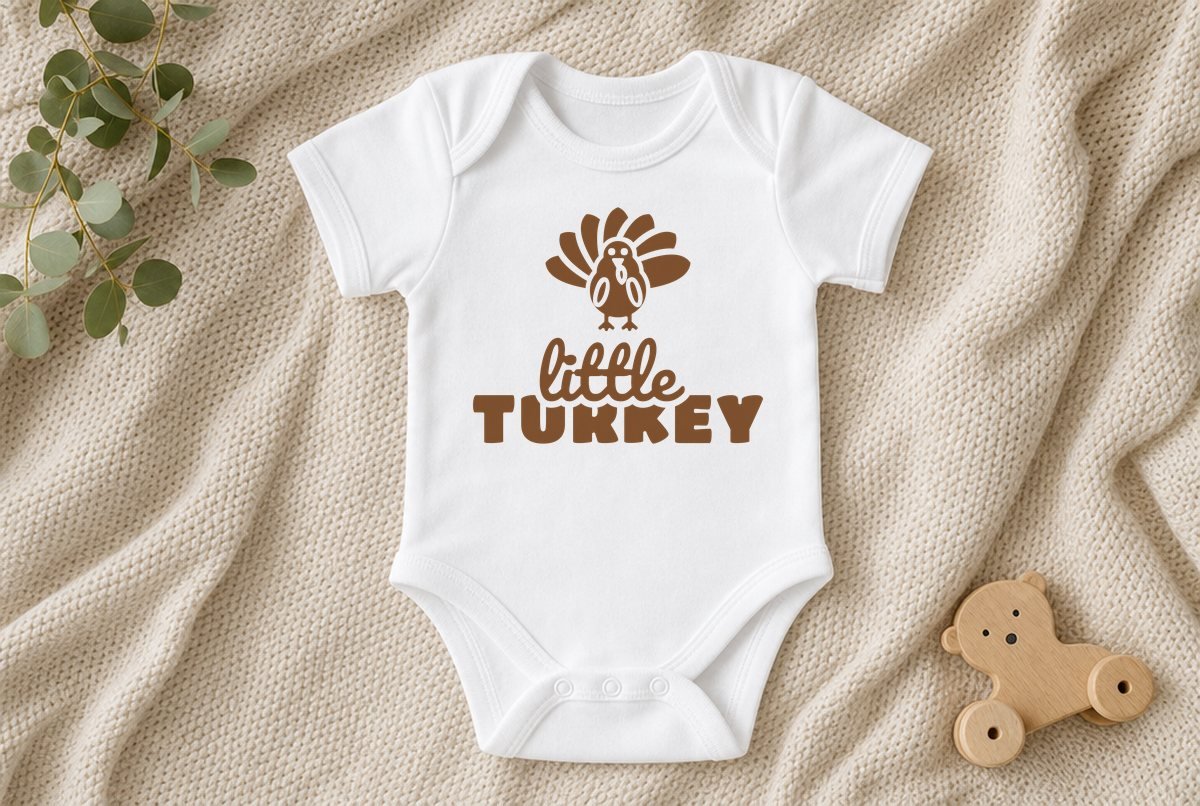
Small shirts are where most free files let you down. A design that looks great at 10 in gets shrunk to onesie size and suddenly the gaps are hairlines and the toes are specks. This little TURKEY design was built the other way around, starting from the small sizes.
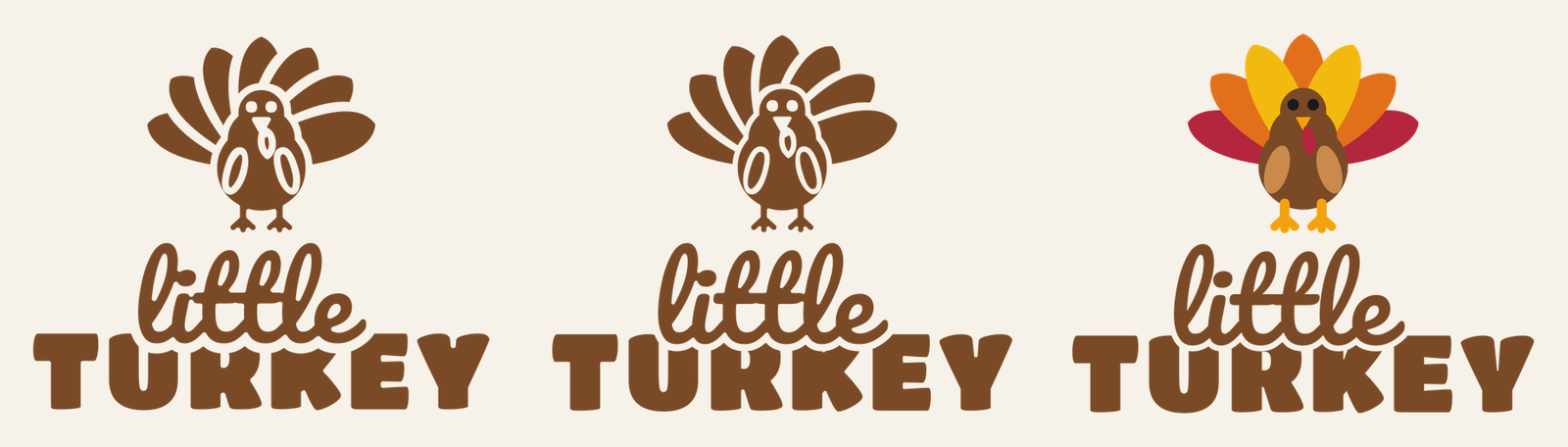
A fan-tail turkey stands over the words, with little in brush script sitting on chunky capitals. You get a 4.6 in onesie file, a 6.6 in toddler file, and an 8.1 in youth file with the turkey in full color. All three are for iron-on (HTV).
| File | Size | Material | Layers | Check |
|---|---|---|---|---|
| Little Turkey, onesie | 4.62 × 3.88 in | HTV (iron-on) | 1 layer | ✓ Cut-checked |
| Little Turkey, toddler shirt | 6.62 × 5.5 in | HTV (iron-on) | 1 layer | ✓ Cut-checked |
| Little Turkey, layered HTV (youth, 8 in) | 8.12 × 6.75 in | HTV (iron-on) | 9 layers | ✓ Cut-checked |
Why the small files aren’t just shrunk copies
The onesie and toddler files are one color, and the turkey’s detail comes from cut-outs: gaps between the seven tail feathers, a gap around the body, holes for the eyes, and outlined wings and wattle. Scale those down as they are and the gaps go too thin to weed. So each small file was drawn at its own size, and the gaps were set wide enough to stay clear at that exact width. The gap between the script and the capitals got the same treatment.
Both files passed our HTV check at their listed widths: no line thinner than 0.04 in, no piece smaller than 0.08 in, no gap too narrow to weed. The onesie file is the tightest of the set. Its pieces include the turkey’s wing and wattle centers, which are small islands of HTV that need to stay on the carrier.
The lettering is Pacifico for little and Titan One for TURKEY. The script’s bottom edge sits into the tops of the capitals, and the capitals are trimmed back around it with a clean gap, so the two words never touch.
The 8.1 in youth file is layered. The words are one layer, and the turkey is eight: red, orange and yellow feathers, a brown body, tan wings, golden feet and beak, a red wattle and black eyes. Its legs and toes are drawn thicker than in our standard turkey SVG so they hold up in HTV at this size.
What you need
- Cutting machine and a standard grip mat
- Iron-on (HTV): one color for the onesie or toddler file, or up to seven colors for the layered youth file
- Weeding hook and fine tweezers
- Heat press, EasyPress, mini press or iron, and a pressing sheet
- A pre-washed bodysuit or shirt, and a pressing pillow or folded towel to put inside it
How to make it
- Upload the right file. In Design Space choose Upload > Upload Image > Browse. The upload guide has the steps. The layered file arrives already split into its layers. Silhouette Studio needs Designer Edition for SVG, or use the DXF.
- Keep the width. Onesie 4.6 in, toddler 6.6 in, youth 8.1 in. These are the checked sizes, so don’t shrink them.
- Cut mirrored. Choose your iron-on material in the Make screen; Design Space turns Mirror on automatically for iron-on. Confirm the Mirror toggle on the Prepare screen, then load HTV shiny side down. The layered file goes onto one mat per color, since Design Space sorts mats by color. The lettering and the body share a brown, and the red feathers and wattle share a red, so the nine layers cut on seven mats.
- Weed with care. Pull the background slowly and watch the wing centers, the wattle center and the toes. Tweezers help on the onesie size. Our weeding guide has more tricks for tiny parts.
- Press. Put a pressing pillow or folded towel inside the bodysuit so snaps and seams don’t hold the plate up. Pre-press, place the design, and press using the settings for your HTV and fabric from the Cricut Heat Guide or the maker’s instructions. For the layered file, press the words and the feathers first, then build up the turkey in order: body, wings, feet and beak, wattle, eyes.
The layered turkey stacks up to several layers deep where the body covers the tail. Cricut’s iron-on layering instructions suggest four layers or fewer where possible, since every layer makes the design thicker and stiffer, and it tells you to cover already-pressed layers so the plate doesn’t touch exposed iron-on. For a soft, simple shirt, the one-color toddler file is the easier choice.
Sizes by age
| Garment | File | Width |
|---|---|---|
| Baby bodysuit | Onesie | 4.6 in |
| Toddler tee | Toddler | 6.6 in |
| Youth shirt | Youth layered, or toddler scaled up | 8.1 in |
| Bib or baby tote | Onesie | 4.6 in |
Always measure the garment. Baby sizes vary by brand, and the design should clear the neckline and the side seams. You can go up from any listed size, but don’t go down; the onesie file is the floor for this design.
Variations
One-color youth shirt. Scale the toddler file up to about 8 in. Making it bigger only widens the gaps and lines, so it stays easy to cut, and you skip the layering entirely.
Siblings and grown-ups. Pair it with our Gobble Gobble shirts for the adults, which use the same turkey shape, or with Little Pumpkin for a younger sibling who’s still in October mode. For color, brown HTV on cream or oatmeal is the classic; white on a rust or mustard tee reads well too.
Troubleshooting
If a toe or a wing center lifts with the background on the onesie size, stop and press it back onto the carrier before you keep going. If the whole design shifts on a stretchy bodysuit, it’s usually because the fabric got pulled while you laid it down. Smooth the fabric flat, not stretched, and pre-press it before placing the design. For more on getting the basics right, see your first Cricut shirt.
Questions
What size should a design be on a onesie?
Our onesie file is 4.6 in wide and 3.9 in tall. Measure the bodysuit’s chest and leave room at the neckline and side seams.
Can I shrink the toddler file for a onesie?
Use the onesie file instead. It was drawn with wider gaps for that size, so it weeds cleanly where a shrunk copy might not.
How many colors is the layered Little Turkey?
Nine layers in seven colors. The words and the turkey’s body share a brown, and the red feathers and the wattle share a red.
Can I sell shirts made with this file?
Yes, up to 500 handmade items per design, but not the digital file. See our license page.