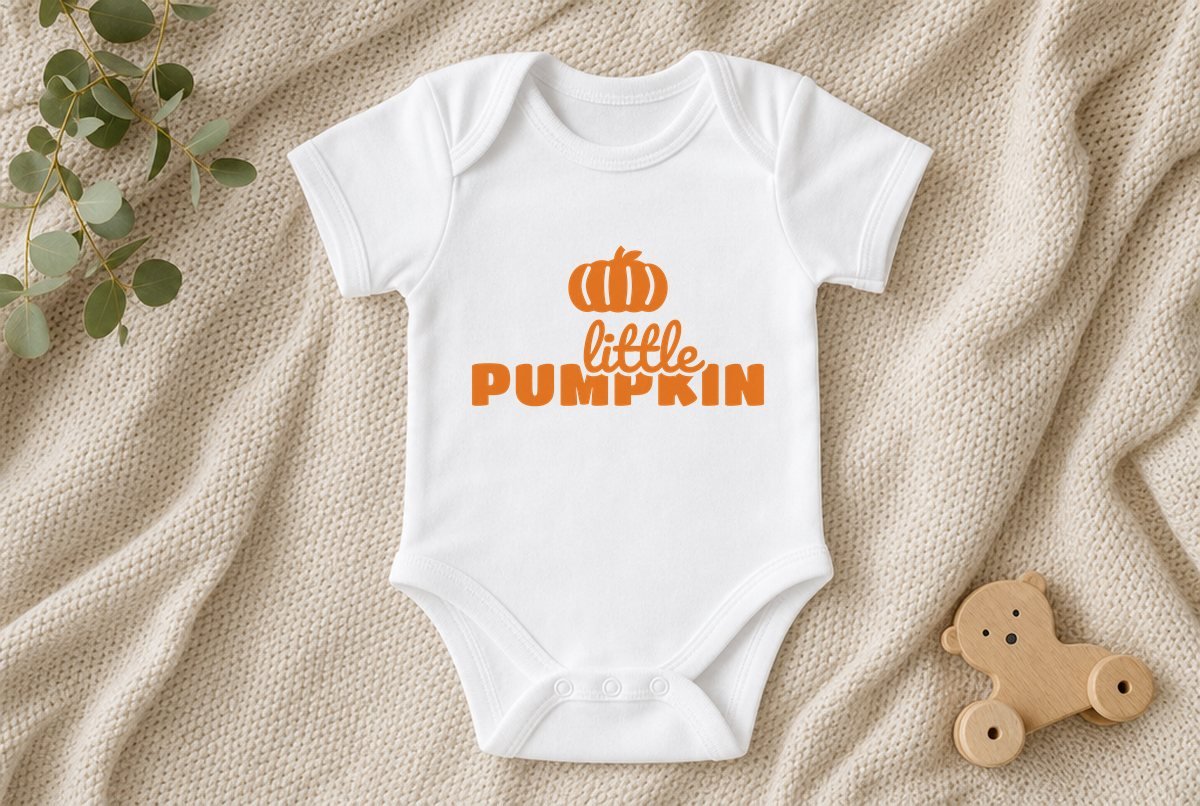
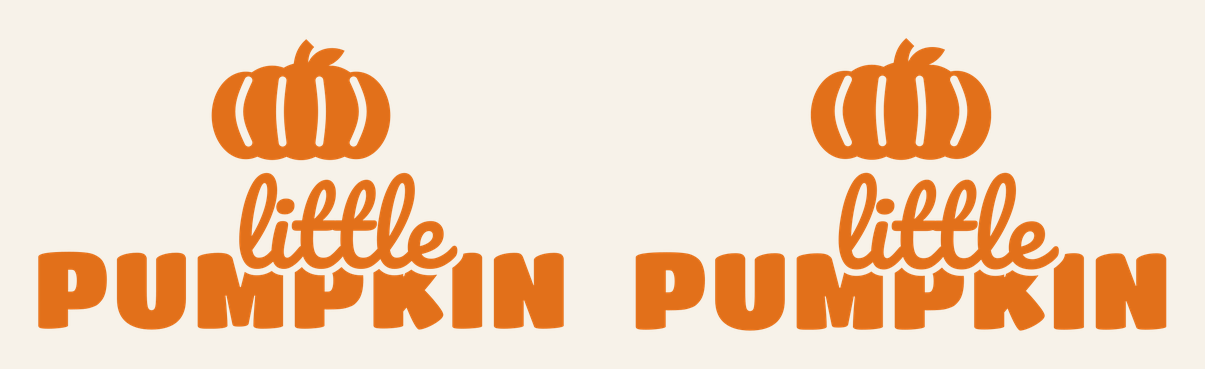
“Little pumpkin” might be the most-pressed phrase on baby’s-first-Halloween bodysuits, and for good reason: it’s sweet, it’s short, and it fits on a tiny chest. Our version stacks a round ribbed pumpkin over the word “little” in a loose script, with “PUMPKIN” underneath in chunky rounded capitals.
The download has two sizes, both built for iron-on (HTV). The onesie file is 4.6 x 2.65 inches for baby bodysuits, and the toddler file is 7.1 x 4.06 inches for toddler tees and sibling shirts. It’s a one-color design, so it’s a good first HTV project.
| File | Size | Material | Layers | Check |
|---|---|---|---|---|
| Little Pumpkin, onesie | 4.62 × 2.62 in | HTV (iron-on) | 1 layer | ✓ Cut-checked |
| Little Pumpkin, toddler shirt | 7.12 × 4 in | HTV (iron-on) | 1 layer | ✓ Cut-checked |
How the design is built for iron-on
Iron-on is thicker and stretchier than adhesive vinyl, so thin parts that would cut fine in vinyl can tear during weeding. We check HTV files against a wider minimum stroke width than vinyl files for that reason. Both sizes of this design passed at the listed size.
A few details make it friendlier to weed:
- The script “little” is a heavy, rounded script, so the loops of the l’s and the cross of the t’s aren’t hairlines.
- “PUMPKIN” uses soft, rounded block letters. The only counters to pick out are the small holes in the two P’s.
- The pumpkin’s ribs are four curved slits knocked out of the body. These are the narrowest weeding in the file, and they’re the part to watch on the onesie size.
Everything is closed, welded paths, and the spacing between the pumpkin and the two words is already set. You don’t need to adjust anything before cutting.
What you need
- Iron-on (HTV) in orange, or any color that shows on your garment
- Baby bodysuit or toddler tee (pre-washed if the fabric maker suggests it)
- Standard grip cutting mat
- Weeding hook
- Heat press, mini press or household iron
- Teflon sheet or parchment paper, and a firm pressing surface
- Ruler for centering
Pressing a little pumpkin onesie
- Upload the file you need. In Cricut Design Space, click Upload, then Browse, and choose the onesie or toddler SVG. Our upload guide walks through each step.
- Leave the size alone. The onesie file opens at 4.6 inches wide, which suits most baby sizes. Check the table below before changing it.
- Mirror it. Click Make It. For iron-on, the design has to be mirrored because you cut it from the back. Design Space turns Mirror on automatically when you pick an iron-on material setting, but look at the mat preview to confirm it’s flipped before you cut.
- Cut shiny side down. The glossy carrier sheet goes against the mat, with the dull adhesive side facing up toward the blade.
- Weed. Peel away the background, then pick out the four rib slits in the pumpkin and the centers of the P’s. If a thin part of the script starts to lift with the background, press it back down and peel from a different direction. See how to weed vinyl for more tips.
- Press. Center the design on the chest, cover with a Teflon sheet or parchment, and press using the time, temperature and pressure for your exact HTV and fabric. Cricut’s Heat Guide gives settings for Cricut materials; other brands list theirs on the package. Peel the carrier warm or cool, as your HTV’s instructions say.
Baby bodysuits are thin, and many have snaps, a shoulder envelope fold, or seams close to the chest. Slide a firm pressing pillow or a folded towel inside so you’re pressing the front layer only on a flat surface, and keep the press clear of the snaps.
If this is your first garment, our walkthrough on making your first Cricut shirt covers placement and pressing in more detail.
What size to use
| Garment | File | Width |
|---|---|---|
| Newborn to 12 month bodysuit | Onesie | 4.6 in |
| 18 to 24 month bodysuit or tee | Onesie, scaled up slightly | 5 to 5.5 in |
| Toddler tee, 2T to 5T | Toddler | 7.1 in |
| Youth shirt | Toddler, scaled up | 8 to 9 in |
| Bib or burp cloth | Onesie | 4.6 in |
These are starting points; hold a paper printout against the actual garment before you cut. What we can say firmly: 4.6 inches is the smallest this design should go. Shrink it further and the pumpkin ribs and the thin joins in the script get too fine for iron-on, and they’ll tear or refuse to stick.
Ideas beyond orange on white
Orange HTV on a cream or oatmeal bodysuit looks softer than on bright white. On a black or navy tee, try orange for the whole design, or cut it twice and layer: pumpkin in orange, lettering in white. To do that, duplicate the design and use Contour in the Layers panel to hide the pieces you don’t want in each color, then follow our guide to layering HTV. Note that these pieces sit next to each other rather than on top of each other, so there’s no stacking involved.
For a family set, the free pumpkin SVGs make a simple matching shirt for a parent or older sibling.
If the rib slits won’t come out cleanly, the blade likely didn’t get all the way through the HTV at those tight curves. Try a fresh blade or a little more cut pressure for your material, and do a small test cut on scrap first. Our list of fixes for a Cricut that isn’t cutting through covers the usual causes.
Questions
What size should a little pumpkin design be on a onesie?
About 4.6 inches wide works for newborn to 12 month bodysuits, and that’s the size of the onesie file in this download. For 18 to 24 months you can go a little larger.
Do I need to mirror the design for iron-on?
Yes. HTV is cut from the back, so the design has to be mirrored. Design Space mirrors automatically when you choose an iron-on material setting, but check the mat preview before cutting.
What heat settings should I use on a baby onesie?
Use the settings for your specific HTV and fabric. For Cricut iron-on, look it up in Cricut’s Heat Guide; other brands print their settings on the package or website.