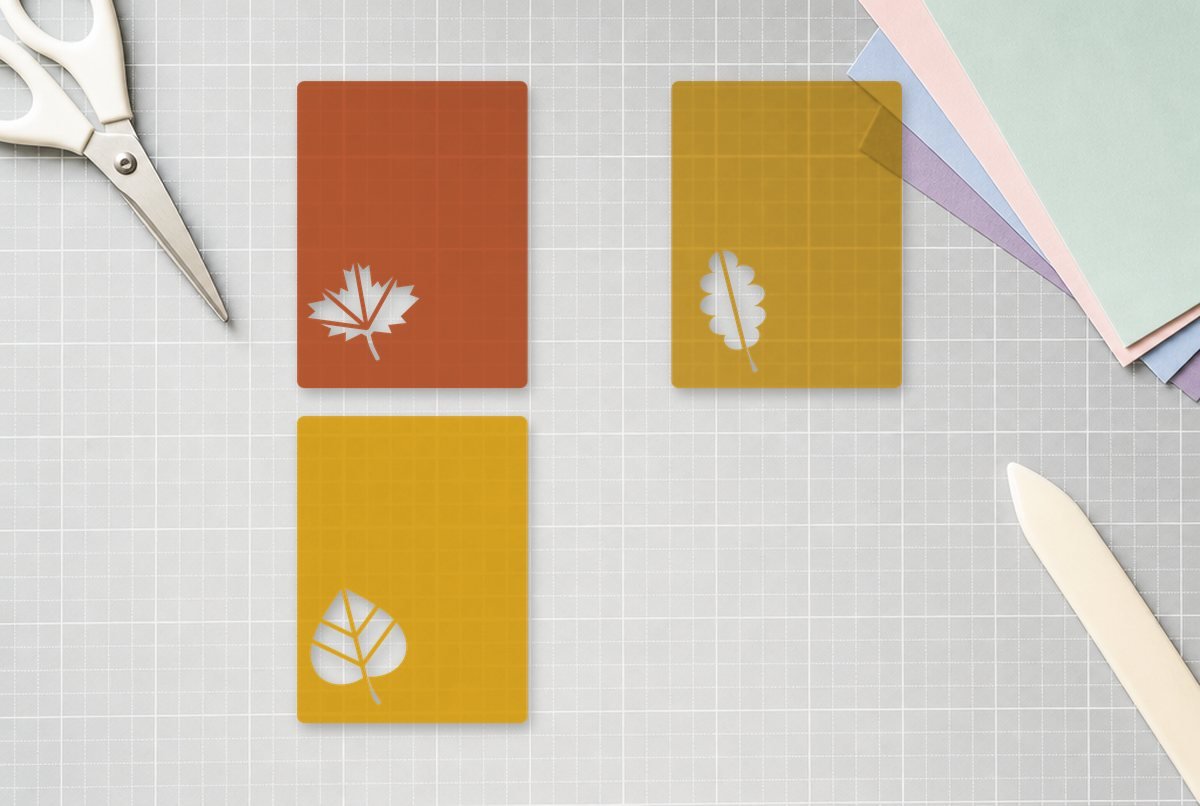
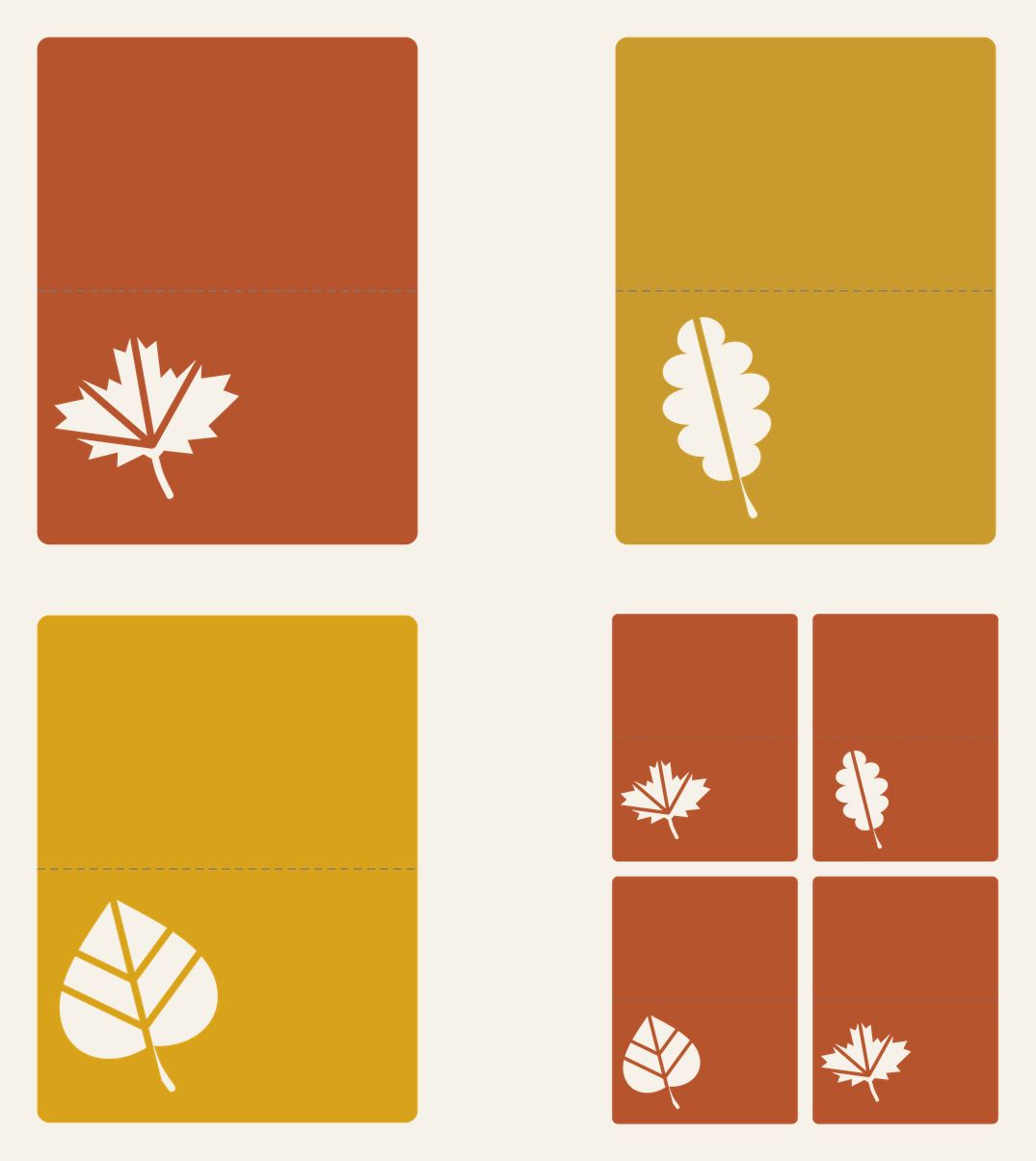
A tent-fold place card is about the simplest thing you can make for a holiday table, and a cut-out leaf is what keeps it from looking like an index card. These cards fold along a score line into a small tent that stands on its own, with a maple, oak or aspen leaf cut clean through the front and room beside it for a guest’s name.
Each card is 3.75 x 5 in flat and folds to 3.75 in wide by 2.5 in tall. There’s a separate file for each leaf, plus a sheet with four cards (two maples, an oak and an aspen) that fits on letter-size or 12 x 12 cardstock.
| File | Size | Material | Layers | Check |
|---|---|---|---|---|
| Place card, maple leaf window | 3.88 × 5.12 in | Cardstock | 1 layer + score lines | ✓ Cut-checked |
| Place card, oak leaf window | 3.88 × 5.12 in | Cardstock | 1 layer + score lines | ✓ Cut-checked |
| Place card, aspen leaf window | 3.88 × 5.12 in | Cardstock | 1 layer + score lines | ✓ Cut-checked |
| Place cards, 4 on a 12x12 mat | 8 × 10.5 in | Cardstock | 1 layer + score lines | ✓ Cut-checked |
How the card is laid out
Each file has two kinds of lines. The solid outline is the card itself, with rounded corners that won’t dog-ear. The gray line across the middle is the score line, the fold. It sits exactly 2.5 in from each short edge, so both halves of the tent are the same height and the card stands level.
The leaf window is in the lower half, set toward the left so there’s writing space on the right. The leaf isn’t one big hole: thin strips of card are left in to act as veins, and those strips hold the window’s shape. The maple opens as five pieces, the aspen as six, and the oak as two, split by a single diagonal midrib.
Those vein strips are what we checked hardest. Cardstock needs wider bridges than vinyl or it tears as the blade finishes the last cut. Every card passed our cardstock check at full size: no strip narrower than 0.045 in and no leftover piece smaller than 0.1 in to get stuck in the window. The four-up sheet is the same cards at the same size, just arranged with a small gap between them.
What you need
- Cutting machine and a light or standard grip mat
- Cardstock, 65 lb or heavier (letter-size or 12 x 12)
- A machine scoring tool, or a bone folder and ruler to score by hand
- Fine-tip marker or your machine’s pen, for names
- Optional: vellum or a contrasting paper to back the leaf window, and a glue pen
Setting up the score line
This is the one step that trips people up with tent cards. When you upload the file, the fold line comes in along with the card, and Design Space doesn’t know it’s meant to be a fold.
- Upload the file. Use Upload > Upload Image > Browse, pick the single card or the four-up sheet, and add it to your canvas. Our upload guide covers the screens in detail.
- Select the fold line on its own. If the card and line came in grouped, ungroup them first so you can click just the line in the Layers panel.
- Change its operation to Score. With only the line selected, open the Operation menu and choose Score.
- Attach the line to the card. Select both the score line and the card, then click Attach. That tells the machine to score in that exact spot on that card, rather than moving the line onto its own mat. On the four-up sheet, attach each line to its own card (or attach all four lines to the whole sheet together).
- Check the size and cut. A single card should read 3.85 x 5.1 in including a hair of margin. Pick your cardstock in the Make screen and load the scoring tool when prompted.
If you skip the Score step, the machine treats the fold line as a cut and slices every card in half. Look at the mat preview before you press Go: the fold should appear as a scored (not cut) line on the same mat as the card.
Cricut’s help center has the official walkthrough for choosing an operation and using Attach. Our weld vs. attach vs. group article explains why Attach is the right choice here and Group isn’t.
Scoring: machine tool or by hand
Which scoring tool you can use depends on your machine. Cricut lists its Scoring Stylus for Explore and Maker machines, and the Scoring Wheel for Maker machines only, since the wheel needs the Maker’s Adaptive Tool System. Newer models have their own scoring tools, so check what your machine accepts. The wheel presses harder, which helps on heavy cardstock; the stylus is plenty for standard weights.
No scoring tool? Delete the fold line (or hide it) before cutting, then score by hand. Lay a ruler across the card at the 2.5 in mark and run a bone folder, an empty ballpoint pen or a dull butter knife along it with firm pressure. Score on the good side of the card so the dent ends up on the outside of the tent. It gives a much crisper fold than creasing freehand.
Folding and finishing
- Clear the window. Most leaf pieces drop out when you peel the mat away from the card. Nudge any that don’t from the back with a weeding hook so the vein strips don’t bend.
- Fold on the score. Fold so the scored dent is on the outside of the tent and the leaf faces out. Run a bone folder along the fold to sharpen it.
- Add the name. Write it in the space to the right of the leaf. If your machine has a pen, you can add a text box, set its operation to a draw/pen option and attach it to the card so the name writes before the card cuts. A single-line writing font looks much better than an outlined one with a pen.
Glue a small square of vellum, kraft or patterned paper on the inside of the front panel, behind the leaf. From the front, the leaf then shows as a solid color instead of an open window, and nothing on the table shows through.
Sizes and sheet layout
| File | Flat size | Folded | Fits on |
|---|---|---|---|
| Single card (any leaf) | 3.75 x 5 in | 3.75 x 2.5 in | Any cardstock scrap 4 x 5.25 in or bigger |
| Four-up sheet | 7.9 x 10.4 in overall | Four cards | Letter-size (8.5 x 11) or 12 x 12 |
You can scale a card up for a buffet label or a food tent, say 6 x 8 in flat. Don’t scale it down: the vein strips in the maple and aspen windows get thinner as the card shrinks, and below this size they’re likely to tear. If you enlarge, the score line stays in the middle automatically as long as it’s attached and you resize the card and line together.
Ideas
Mix the three leaf files across a table in rust, mustard and gold cardstock, or cut every card in kraft and back each window with a different fall color. For a matching centerpiece, scatter the full-size shapes from our fall leaves set down the table. Planning a spring event instead? There’s a tent card with a heart window in our wedding place card SVG.
If the fold cracks
Cracking along the fold usually comes from folding against the score (dent on the inside) or from heavy, dark-core cardstock. Fold so the dent is on the outside, and for thick stock, score a second time by hand along the same line before folding.
Questions
How do I make a score line in Cricut Design Space?
Select the line, open the Operation menu and choose Score. Then select the line and the card together and click Attach so the score lands on the card.
What size is a tent place card?
Ours is 3.75 x 5 in flat and folds in half to 3.75 x 2.5 in, which leaves room for a leaf window and a first name on the front.
Can I make these without a scoring tool?
Yes. Hide or delete the fold line so it doesn’t cut, then score by hand at the 2.5 in mark with a ruler and a bone folder or an empty pen.
Will four place cards fit on letter-size cardstock?
Yes. The four-up sheet is 7.9 x 10.4 in, so it fits an 8.5 x 11 sheet as well as a 12 x 12 sheet.