Free Laser Cutter Beginner Files for Library and School Makerspaces
12 free beginner files for library, school and community laser cutters: a material test card, kerf and fit tests, a cut-score-engrave sampler, keychains, an ornament, a coaster, a puzzle and a finger-joint box. Each comes as SVG and DXF, with each maker’s manual, safety and settings links and two printable sheets for the laser station.
- No ads, no sign-up. No account, no email, nothing to buy.
- Free to copy and share with patrons and students
- Glowforge, Epilog, Dremel, Full Spectrum, xTool, Thunder
Why this exists. Library and school laser guides link to maker pages that move. Glowforge’s old safety article, Epilog’s laser safety page, the Universal Laser Systems materials library and Instructables’ “Laser Cutting Basics” all return “page not found” today. This page keeps the current official links for six laser brands in one place, adds 12 beginner files you can cut on any of them, and is re-checked every quarter.
The short answer
Use the SVG. Glowforge, LightBurn, xTool, Full Spectrum and Dremel software all import it. DXF is there for software that prefers it, and the PNG is a preview.
Your laser maker’s, for your material. We don’t publish power and speed numbers because they change with the machine, lens and material. Cut the test card first and log what works.
All six makers agree: never leave a running laser alone, never cut PVC or vinyl, and always run the exhaust or filter. Keep a fire extinguisher by the machine.
The 12 free laser files
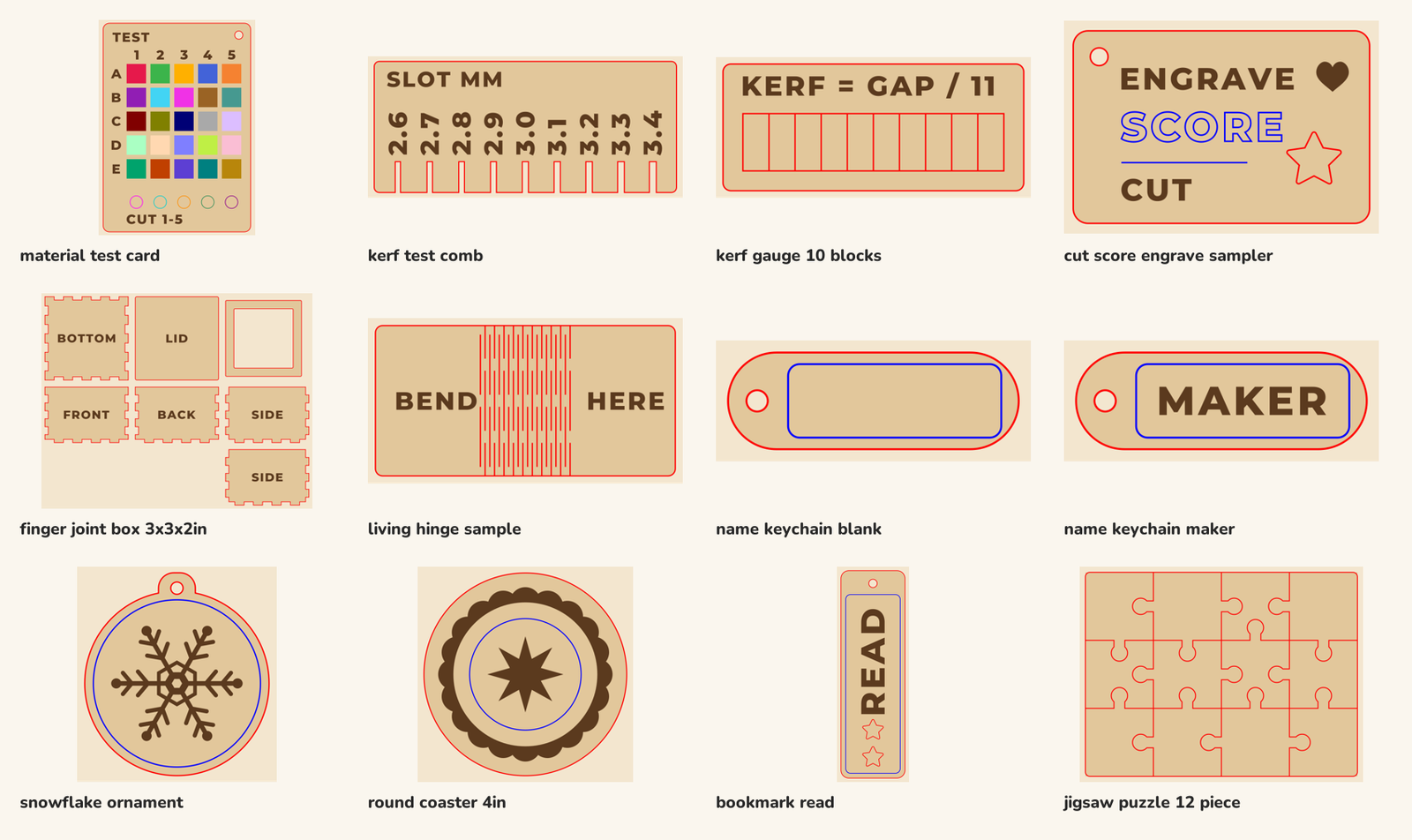
Everything in one download: 12 files as SVG, DXF and PNG, a README and the color list for the material test card.
⬇ Download all 12 (ZIP, 507 KB)
Every file opens at its real size in inches and is 11 × 11 in or smaller, so it fits common desktop laser beds. Joints are drawn for 3 mm (about 1/8 in) sheet with no kerf allowance. Read the README.
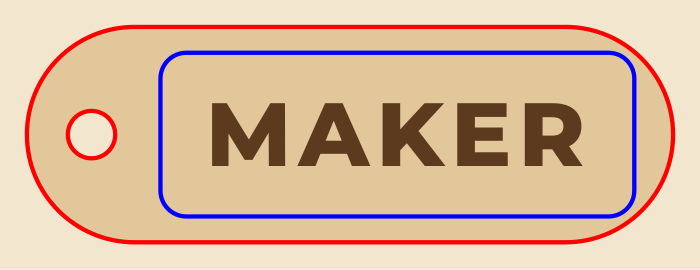
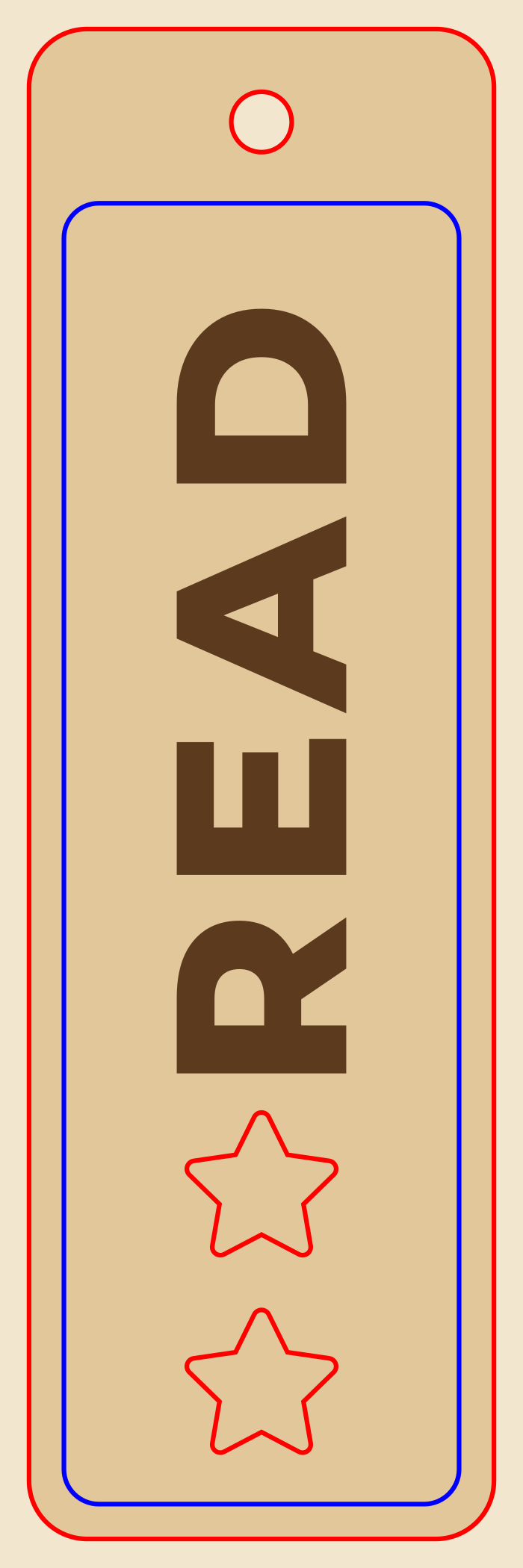
- Red hairline = cut
- Blue hairline = score (a light line on the surface)
- Black fill = engrave
Test first

First projects


Next steps


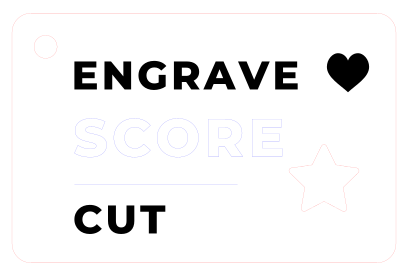
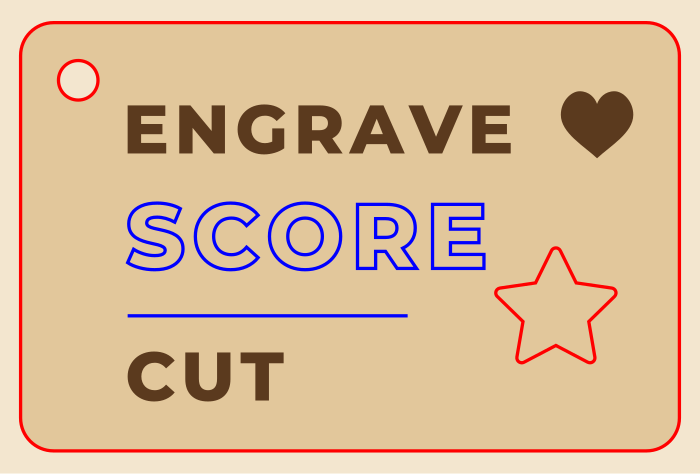









How we checked them: every piece that falls out of the sheet and every engraved area was checked by our software at its real size for parts thinner than 0.06 in or smaller than 0.12 in. These are software checks, not test cuts on every machine, so cut the test card on a new material first. DXF files have no fills: set the ENGRAVE layer to engrave or fill in your software, or use the SVG.
Libraries, schools and makerspaces may copy, cut and share these files with patrons and students.
That includes a shared drive, a class site or the computer next to the laser. Please don’t sell the files themselves. This license covers this pack only; the rest of the site uses its normal license.
Cut, score and engrave in your laser software
Laser software has to know which lines to cut, which to score and which shapes to engrave. Most of it goes by color or line weight, but each app has its own rule. Here is how each one reads a file, from the maker’s own documentation, and what to do with ours.
Swipe the table sideways →
| Software | Opens | How it decides cut, score or engrave | What to do with our files | Source |
|---|---|---|---|---|
| Glowforge app Glowforge (all models) | SVG, PDF, JPG, PNG; DXF for Premium members | Strokes become cuts, fills become engraves, and you can switch a stroke to a score. Each color is its own step with its own settings. | Upload the SVG. Red cuts and black engraves as they are; switch the blue step to Score. | Glowforge: upload your own design · manual |
| LightBurn Thunder Laser, xTool S1 and P2S, and many other lasers | SVG, DXF and image files | Each color is a layer. Every object on a layer gets that layer's mode and settings. | Import the SVG and you get three layers. Set red to Line (cut), blue to Line at low power (score) and black to Fill (engrave). | LightBurn: colors and layers |
| Epilog Dashboard Epilog Fusion and Zing (you print from your design app) | Whatever your design app opens; Epilog prints from it | Line weight decides. Lines 0.001 in or thinner (in Illustrator) are vector cuts; anything heavier is engraved. In Combined mode the laser engraves first, then cuts. | Our lines are 0.001 in hairlines, so red and blue both read as vector. Give the blue lines their own low-power vector process in the Dashboard. | Epilog: sending vector jobs · Zing manual |
| Dremel LC40 software Dremel DigiLab LC40 | SVG and PDF (vector); JPEG, PNG and PDF (image) | Vector files cut or score, and the software finds up to 21 colors so each can get its own settings. Engraving needs an image file. Dremel says cutting and engraving from one PDF "is not the recommended method". | Import the SVG for cut and score lines. For the engraving, open the SVG in Inkscape, delete the red and blue lines and export a PNG. | LC40 manual, pp. 60-76 · Dremel: software issues |
| RetinaEngrave Full Spectrum Muse and P-Series | DXF, SVG, PDF, JPG, BMP and more | Object type decides, not color: vector paths cut, images engrave, and vector shapes can be engraved with an infill. Imported image colors turn to grayscale. | Import the SVG. Set the red outlines to a vector cut, the blue lines to a light vector pass and the black shapes to an infill engrave. | RetinaEngrave 3 guide · RetinaEngrave |
| xTool Creative Space / xTool Studio xTool S1, P2S, M1, F1 | SVG, DXF, JPG, PNG, BMP, TIF | You set a process (cut, score or engrave) for each layer or object after importing. xTool's import guide covers SVG and DXF. | Import the SVG, then set the red layer to cut, blue to score and black to engrave. | xTool S1 user guide · xTool software wiki |
| LaserMaker / RDWorks Thunder Laser (LightBurn also supported) | AI, PDF, SVG, DXF and more | Thunder says its "vector color mapping sets speed and power settings using RGB color mapping". | Import the SVG and give red, blue and black their own speed and power. | Thunder: LaserMaker · Nova specs |
Free design software: Inkscape opens, edits and saves SVG on Windows, Mac and Linux. LightBurn has a 30-day free trial. xTool now calls its software xTool Studio; older xTool support pages still say XCS.
Which laser do you have?
Lasers seen in library, school and community makerspaces, with each maker’s current manual, safety and product links. Specs are from the maker’s own page or manual, read October 6, 2026. “Diode” lasers are lower power than CO2 tubes and can’t cut some materials; Glowforge says its 6 W diode Spark can’t work glass, clear, translucent or white acrylic, some blue acrylics or Draftboard.
Swipe the table sideways →
| Machine | Laser | Work area | Status | Official links |
|---|---|---|---|---|
| Glowforge | ||||
| Pro / Pro HD | 45 W CO2 | 20 in wide, any length (passthrough); prints up to 11 × 19.5 in | Sold as certified rebuilt | product · manual (PDF) · safety |
| Plus / Plus HD, Basic | 40 W CO2 (Plus) | 20 × 12 in material; prints up to 11 × 19.5 in | No product page; manual and support still up | manuals · safety · tech specs |
| Aura | 6 W diode | 12 × 12 in | Sold now | product · manuals · safety |
| Spark | 6 W diode | 8.5 × 11 in cutting area | Sold now | product · manual (PDF) · safety |
| Epilog | ||||
| Fusion Edge 12 / 24 / 36 | CO2, 50-100 W | 24 × 12, 24 × 24 or 36 × 24 in | Listed on Epilog's site | product · manual (PDF) · settings (PDF) |
| Fusion Pro 24 / 36 / 48 | CO2, 60-200 W | 24 × 24 up to 48 × 36 in | Listed on Epilog's site | product · manual (PDF) · settings (PDF) |
| Zing 16 / 24 | CO2 | 16 × 12 or 24 × 12 in | Legacy; manual still hosted | manual (PDF) · settings (PDF) · support |
| Dremel | ||||
| DigiLab LC40 | 40 W CO2 | 20 × 12 in cutting, 18.4 × 12 in engraving | Discontinued; support pages still up | support · manual (PDF) · discontinuance FAQ |
| Full Spectrum Laser | ||||
| Muse Core / Muse 3D | 40-45 W CO2 | 20 × 12 in | Sold now | product · manual (PDF) · safe materials |
| Muse Titan | 75-150 W CO2 | 48 × 24 in | Sold now | product · manuals |
| P-Series PS20-PS48 | CO2 | 20 × 12 up to 48 × 36 in | Sold now | product · manual (PDF) |
| Pro Series (FSL 500, 6040, 6090, 1290) | CO2 | Same sizes as PS20-PS48 | Legacy; manuals still hosted | legacy manuals |
| xTool | ||||
| S1 | 40 W or 20 W, plus 2 W IR module | 19.6 × 12.5 in (40 W) or 19.6 × 13 in | Sold now | product · user guide · safety |
| P2 / P2S | 55 W CO2 | 600 × 305 mm (about 23.6 × 12 in) | P2S sold now | product · support · safety |
| M1 / M1 Ultra | 10 or 20 W (M1 Ultra) | 300 × 300 mm (M1 Ultra) | Not in xTool's store menu; support still up | M1 support · M1 Ultra support · safety |
| F1 series | Portable engraver | 220 × 220 mm (F1 Ultra) | F1 Ultra sold now | support |
| Thunder Laser | ||||
| Nova 24 / 35 / 51 / 63 | 40-130 W CO2 (glass tube) | 23.6 × 15.7 up to 63 × 39.4 in | Sold now | product and downloads · support |
| Bolt / Bolt Plus / Bolt Pro | 30-80 W CO2 (RF tube) | 20 × 12 up to 36 × 24 in | Sold now | product and downloads · download center |
Dremel stopped making the LC40 and has left the laser business. It says there’s no recall, expects to keep parts for five years, and has stopped software updates (Dremel discontinuance FAQ).
Where to find power and speed settings
Settings depend on the machine, lens, material and air assist, so we don’t copy anyone’s numbers here. These are the official places to start, then confirm with the material test card on a scrap.
Proofgrade materials set themselves. For other materials Glowforge says it “can’t provide settings guidance”: ask the material’s maker and check its safety data sheet (Glowforge FAQ).
Free settings PDFs for each model: Fusion Edge, Fusion Pro, Zing. Epilog calls them “a starting point”.
Pick the material in the software’s material library and it fills in the settings; Tools > Test Files runs a grid of settings on one sheet (Dremel).
Starting settings are in RetinaEngrave’s material library and a data sheet; Full Spectrum says to test on a scrap first (Full Spectrum).
Each support page links xTool’s tested settings, now at the Atomm Materials Lab.
“Material Parameter Settings” PDFs sit under the Download button on each product page (direct links are blocked, so open them from there).
Its built-in Material Test burns a grid of speed and power combinations. LightBurn says the laser maker’s own numbers are “usually the best option”.
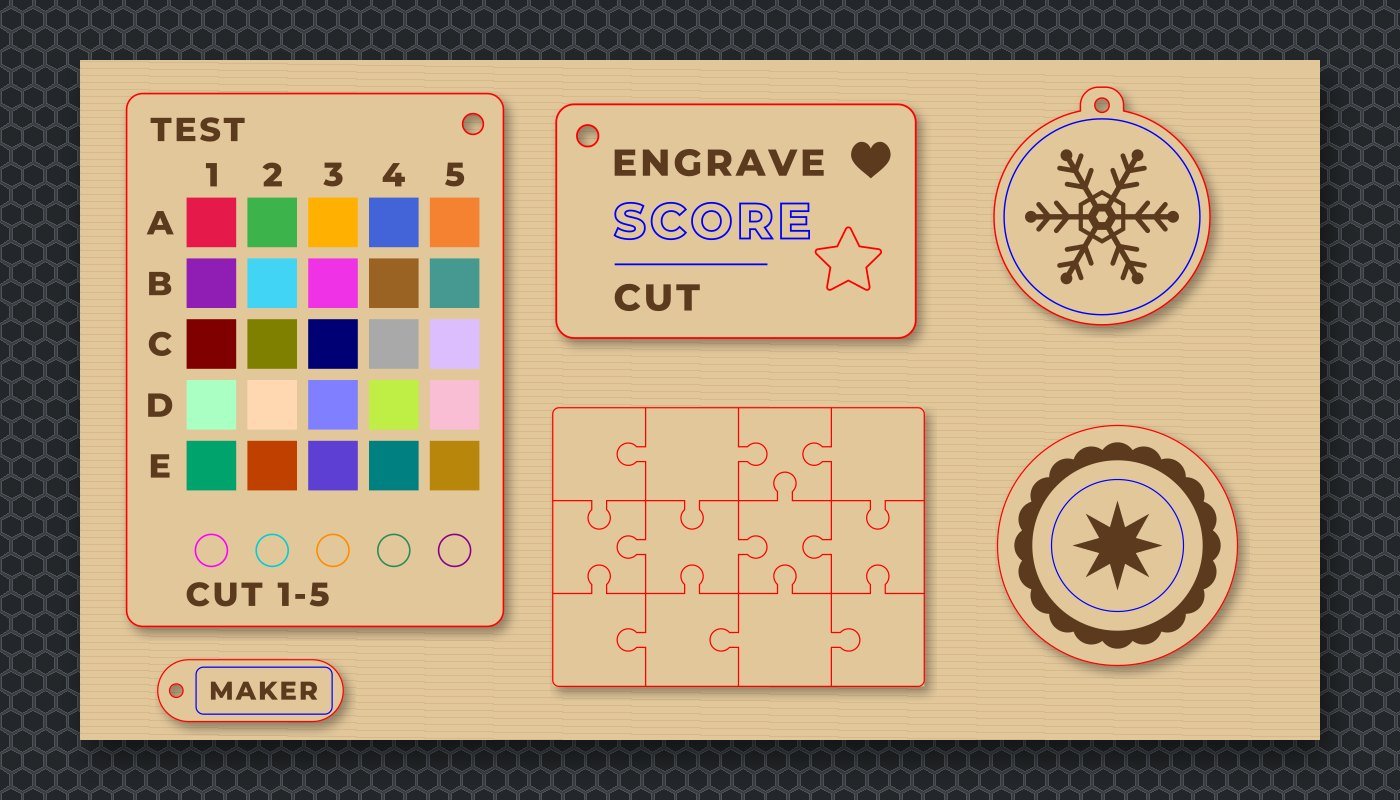
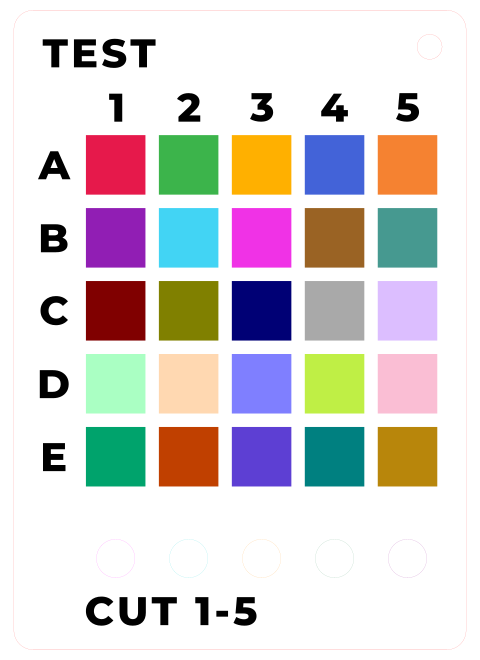
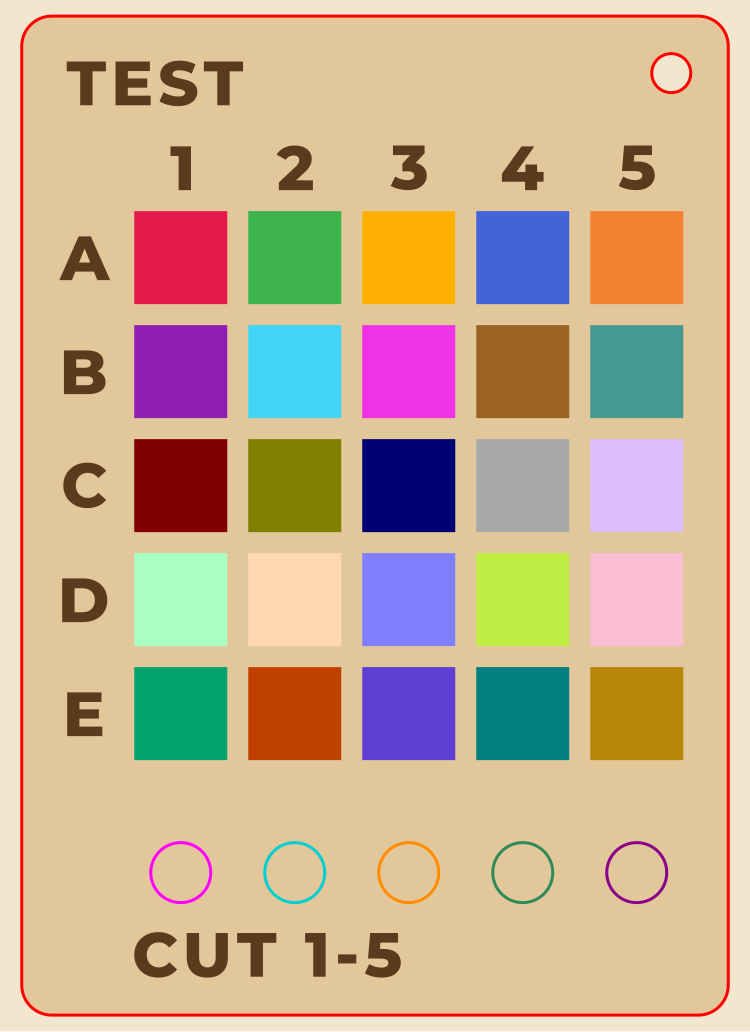
Twenty-five engrave squares and five cut circles, each its own color, so one run on a scrap tests 30 settings. How to use it.
How to use the material test card
- Load a scrap of the material you want to test. Use the maker’s starting settings for it.
- Open
material-test-card.svg. Each of the 25 squares and 5 circles has its own color, so your software can give each its own setting. - For the squares (engrave), keep power the same along a row and change speed across the columns, or the other way round.
- For the circles (cut), try five settings and see which one drops out cleanly with the least scorching.
- Write every setting and result on the material test log, and keep it by the machine.
Materials you must never cut
Only cut materials your laser’s maker approves. These are the materials the makers’ own manuals and support pages warn against. If a sheet isn’t labeled, don’t cut it: some “acrylic” is an acrylic and PVC blend, Full Spectrum warns.
| Never cut | Why | Who says so |
|---|---|---|
| PVC and vinyl (including faux leather and vinyl stickers) | Gives off chlorine when lasered: harmful to breathe, and it corrodes the machine. Glowforge says printing on vinyl "even briefly" will permanently destroy an Aura or Spark. | Every maker here: Epilog, Glowforge, xTool, Thunder, Full Spectrum, Dremel |
| ABS | Full Spectrum: cutting it "emits hydrogen cyanide". Glowforge lists it among plastics that release toxic or corrosive fumes. | Full Spectrum, Dremel, Glowforge |
| HDPE (milk-jug plastic) | "It melts. It gets gooey. It catches fire." | Full Spectrum, Dremel, Glowforge |
| Polycarbonate (Lexan) | Cuts poorly, discolors and catches fire; the soot clouds ruin the optics. | Full Spectrum, Dremel, xTool |
| Polystyrene and polypropylene foam | Full Spectrum calls polystyrene foam "the #1 material that causes laser fires". | Full Spectrum, Dremel |
| Galvanized metal | Releases hazardous gases and damages the laser. | Glowforge, Dremel |
| Chrome-tanned or artificial leather | Chromium can be released in the smoke. | Glowforge, Dremel |
| Fiberglass and coated carbon fiber | Noxious fumes from the resin and coating. | Full Spectrum, Dremel |
| Anything with sticky glue backing | Full Spectrum: it coats and cracks the lens. | Full Spectrum |
| Anything you can't identify | Dremel: "Never engrave or cut any unknown material." Glowforge: if you aren't sure, don't put it in. | Dremel, Glowforge, xTool |
Sources: Full Spectrum: safe and not-safe materials, Dremel LC40 manual, Table 2, Glowforge custom materials FAQ, Glowforge safety, Epilog Fusion Edge manual, xTool S1 safety. Thunder Laser’s site lists some ABS sheets as processable while Dremel and Full Spectrum prohibit ABS; when makers disagree, follow your own machine’s manual.
Safety, from the manuals
- Never leave it running. Every maker says so. Glowforge: “Always stay within sight and look inside frequently.” Thunder: “Fire Hazard: High potential for fire. NEVER RUN UNATTENDED!”
- Keep a fire extinguisher close. Epilog recommends a CO2 or multi-purpose dry chemical extinguisher; Dremel and Thunder name CO2. Epilog and xTool both warn that vector cutting is the most likely job to start a flame, and acrylic is especially flammable.
- Vent the fumes. Run the laser only with its exhaust to the outdoors or a filter working. Glowforge also says to install and test carbon monoxide detectors.
- Children. Glowforge: “Children require the supervision and assistance of an adult at all times.” Dremel: don’t let unsupervised children interact with the laser while it’s running. xTool says its Class 4 P2S model isn’t for places where untrained people or children are present, and the M1 Ultra is for “locations where children are not likely to be present.”
- Laser class. Many closed desktop lasers hold a Class 4 laser inside a protective housing that makes the whole machine a lower class. Machines with an open passthrough slot, such as the Glowforge Pro, are Class 4 devices, and Glowforge says they should run under a laser safety program with a Laser Safety Officer.
- Interlocks and eyes. Dremel: “Do not attempt to modify or defeat the safety interlock system.” Dremel and LightBurn both say to wear eye protection suited to the laser.
- One sheet at a time. Glowforge: stacked sheets “are more likely to burn.”
Sources: Glowforge Performance Series safety · Glowforge Craft Series safety · Epilog Fusion Edge manual · Dremel LC40 manual · Full Spectrum Muse Core manual · xTool S1 safety · xTool P2S safety · xTool M1 Ultra safety · LightBurn safety, and Thunder’s Nova and Bolt manuals (from the Nova product page).
Three starter sessions

First-cut orientation
Walk through the station card, then cut the sampler tag so everyone sees the difference between a cut, a score and an engrave. Run the material test card on each material you stock and fill in the log.
Files: sampler, material test card. Printables: station card, test log.
Make-and-take
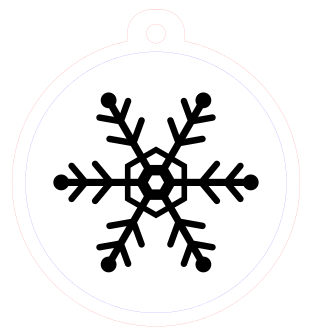
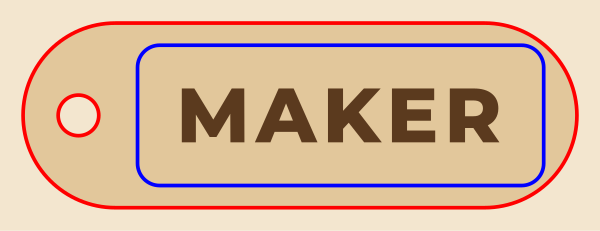
Each person types a name on the blank keychain in the laser software, or picks the bookmark, ornament or coaster. Small files keep the line moving, and staff run the machine while everyone watches.
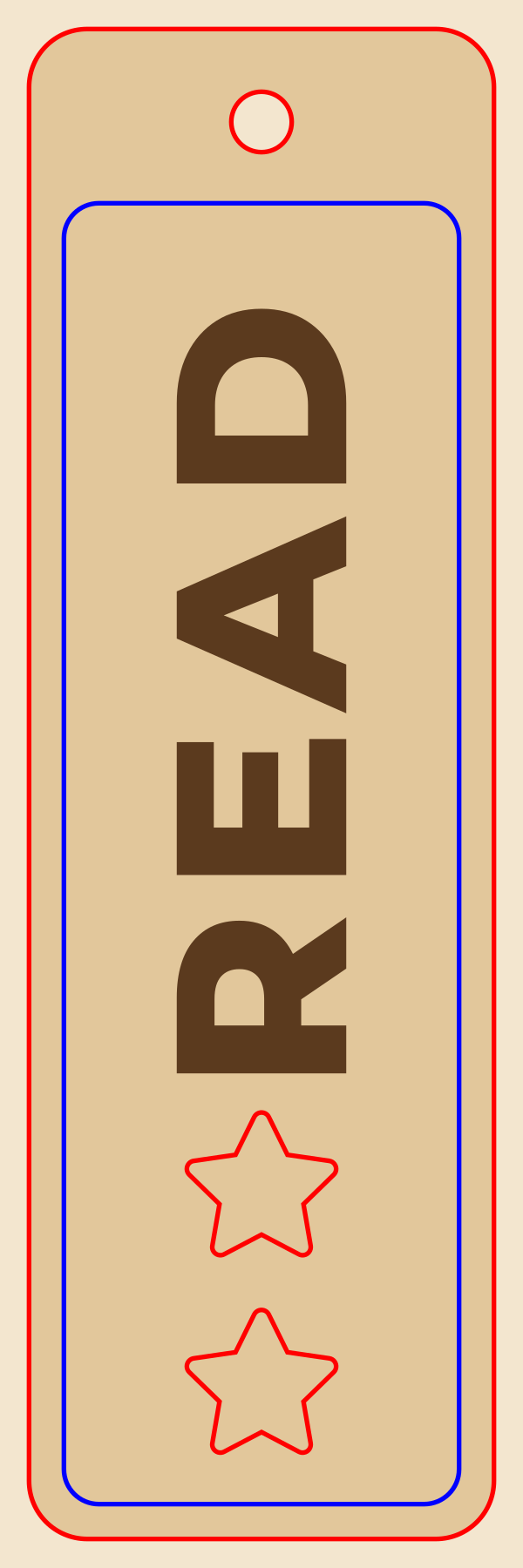
Files: keychain (blank and MAKER), READ bookmark, snowflake ornament, round coaster.

Joints and bending
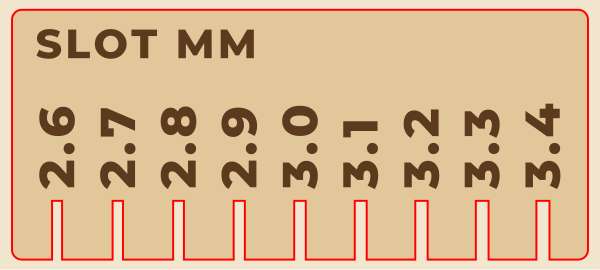
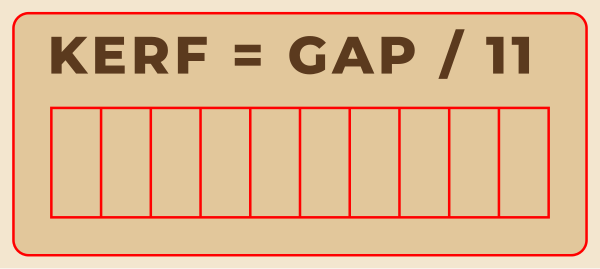
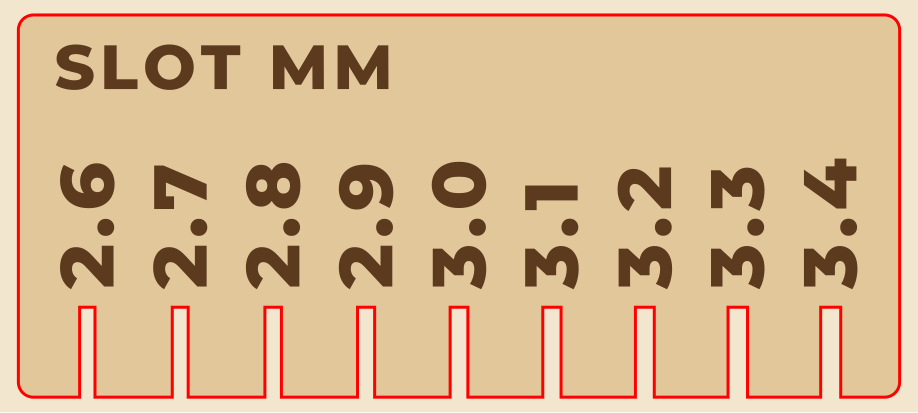
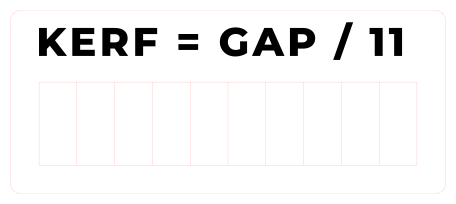
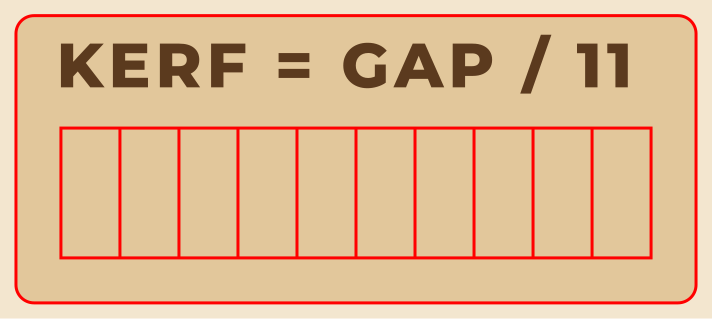
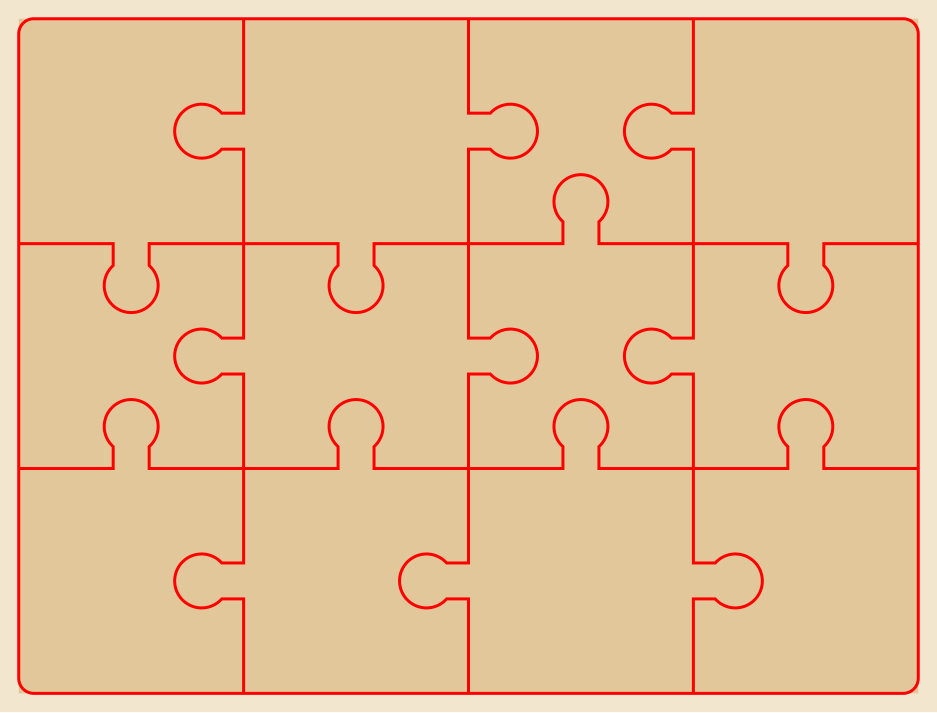
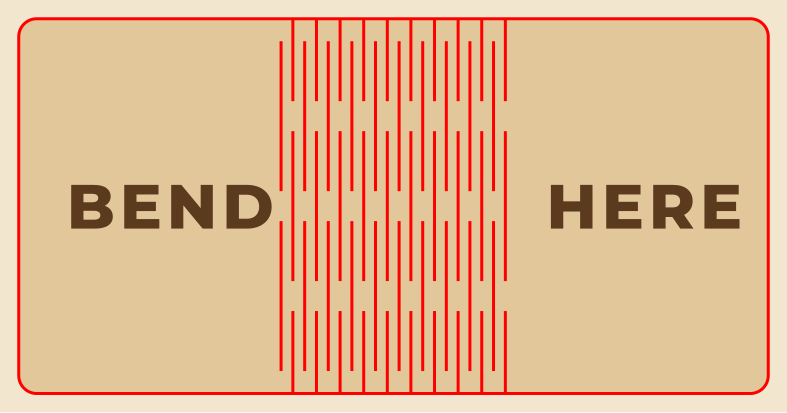
Measure kerf with the gauge, find the snug slot on the comb, then build the finger-joint box and bend the living hinge. The puzzle shows how one shared cut line makes pieces that fit.
Files: kerf gauge, kerf comb, finger-joint box, living hinge, jigsaw puzzle. For custom box sizes, the free Boxes.py generator makes more.
Printable station card and material test log
Two letter-size sheets. Laminate the station card and keep it by the laser; keep a stack of test logs with your materials so settings that work never get lost.
Laser cutter station
Before you start
- Trained on this machine? If not, ask staff first
- Material is on our approved list (ask if unsure)
- No PVC or vinyl, ever, and nothing you can’t identify
- Exhaust or filter is on and working
- Fire extinguisher is in place
- Lid closed; safety interlocks never defeated
Set up the file
- Check the size: measure the design, not the screen
- Red = cut, blue = score, black = engrave (in our files)
- New material? Run the material test card first
- Use settings from this machine’s maker or our log
While it runs
- Stay with the laser the whole time
- Watch for flames that don’t go out on their own
- Small flare-ups: pause the job. Real fire: follow the posted fire plan
- One sheet at a time; never stack materials
- Wait for the smoke to clear before opening the lid
When you finish
- Remove every scrap from the bed and tray
- Write new settings in the material test log
- Turn off the laser and the exhaust as staff showed you
- Report anything odd: smells, sounds, marks on the lens
Approved materials here (staff fill in)
| Material | Thickness | Cut | Engrave | Notes |
|---|---|---|---|---|
From the free laser beginner files at cleancutsvg.com/laser-cutter-beginner-files. Follow your machine’s manual first. Not affiliated with any brand named. You may print and share this card.
Material test log
One row per square or circle on the material test card. Keep one setting fixed along a row and change the other across the columns.
| Date | Square | Material and thickness | Power | Speed | Passes | Result: clean cut, too light, scorched? |
|---|---|---|---|---|---|---|
Squares A1-E5 engrave; circles 1-5 cut. The color for each one is listed in material-test-card-colors.txt in the download. Start from your laser maker’s settings for the material, then adjust. From cleancutsvg.com/laser-cutter-beginner-files.
Laser links that moved
If your makerspace guide links to any of these, here is where to point it now.
| Old link | What happened (checked October 9, 2026) | Link this instead |
|---|---|---|
support.glowforge.com/hc/en-us/articles/360033633314-Safety | Page not found. Glowforge split safety into two articles. | Safety: Performance Series (Basic, Plus, Pro) Safety: Craft Series (Aura, Spark) |
glowforge.com/tech-specs | Forwards to a new address | Glowforge tech specs |
epiloglaser.com/laser-safety/ | Page not found | Safety section of the Fusion Edge manual (PDF) |
epiloglaser.com/resources/sample-club.htm | Page not found; the Sample Club moved | Epilog Sample Club |
ulsinc.com/material/materials-library | Page not found; no replacement on the ULS site | Epilog material compatibility (a maker list of laser-safe materials) |
instructables.com/Laser-Cutting-Basics/ | Page not found | LightBurn: First Material Test Cut, score and engrave on this page |
easyset.xtool.com | Forwards to Atomm | Atomm Materials Lab (xTool-tested settings) |
designfind.com | Forwards to Atomm's home page | Atomm |
festi.info/boxes.py | Forwards to a new host | Boxes.py box generator |
archive.chej.org/campaigns/pvc/… | The domain no longer loads | Never-cut materials on this page |
Common questions
What file type does a laser cutter use?
Most laser software opens SVG files, and that is the one to use from our pack. Glowforge, LightBurn, xTool, Full Spectrum and Dremel all import SVG. DXF works in most of them too. In most laser software, JPG and PNG images engrave rather than cut.
Can you laser cut vinyl or PVC?
No. Every laser maker we checked says never to cut or engrave PVC or vinyl. It gives off chlorine, which is harmful to breathe and corrodes the machine. Glowforge says printing on vinyl even briefly will permanently destroy its Aura and Spark lasers.
What power and speed should I use?
Start with your laser maker's settings for the material: Epilog publishes PDFs, xTool links tested settings, Dremel and Full Spectrum build them into their software, and Glowforge's Proofgrade materials set themselves. Then cut the material test card on a scrap and write down what works.
Can kids use the laser cutter in a library makerspace?
Follow your machine's manual and your library's policy. Glowforge says children require the supervision and assistance of an adult at all times. Dremel says not to let unsupervised children interact with the LC40 while it runs. xTool says the Class 4 version of the P2S shouldn't be used where untrained people or children are present.
What is kerf?
Kerf is the width of material the laser burns away along a cut. It's why press-fit joints drawn at exactly the sheet's thickness come out a little loose. Cut our kerf gauge, push the blocks to one side and divide the gap by 11 to measure it on your machine and material.
Cite or link this page
No ads, no sign-up, nothing to buy. You’re welcome to link this page from a makerspace guide, an equipment page or a class site, and to print the station card and log.
APA: Clean Cut SVG. (2026, October 17). Free laser cutter beginner files for library and school makerspaces. https://cleancutsvg.com/laser-cutter-beginner-files/
MLA: “Free Laser Cutter Beginner Files for Library and School Makerspaces.” Clean Cut SVG, 17 Oct. 2026, cleancutsvg.com/laser-cutter-beginner-files/.
Maker pages read October 6, 2026; moved links re-checked October 9, 2026; re-checked quarterly. Spot a changed spec or a dead link? Email hello@cleancutsvg.com. Clean Cut SVG is independent and not affiliated with Glowforge, Epilog, Dremel, Full Spectrum Laser, xTool, Thunder Laser or LightBurn; their names are trademarks of their owners. Always follow your machine’s own manual.
More for makerspace staff
The library makerspace pack has beginner Cricut files and a kit card; the Cricut makerspace guide has a materials and settings chart; the vinyl cutter and heat press guide covers the rest of the craft corner; and the free fonts license guide shows which free fonts you can use on things you make and sell.