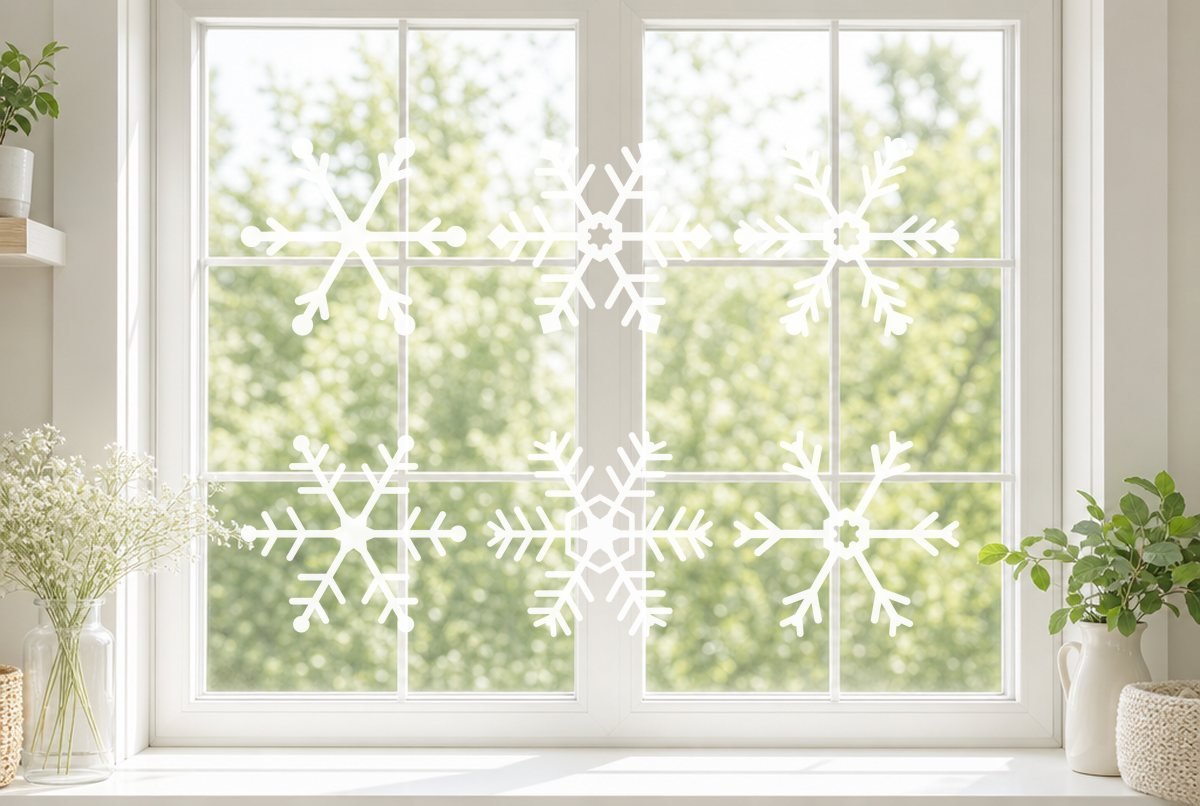
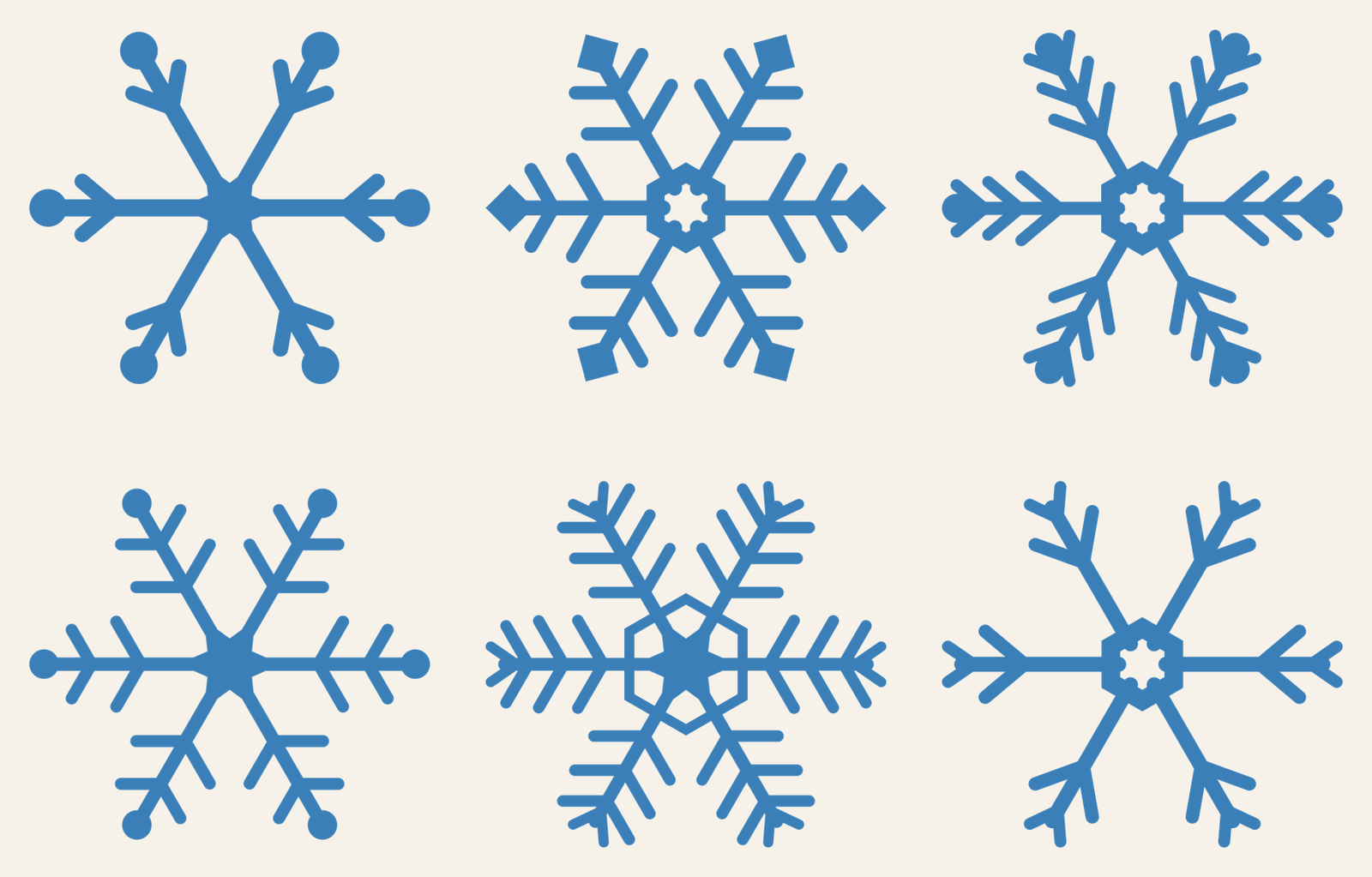
Six snowflakes, each with six arms and its own personality: round ball tips on some, square tips on one, feathery branches on others, and one with a hexagon ring around the middle. Cut a stack of them from white cardstock and you’ve got window decorations, gift toppers and a garland out of one download.
Every snowflake is 5.1 in wide and was built for cardstock, the pickiest material we check against. That also makes them safe in adhesive vinyl or window cling at the same size or larger.
| File | Size | Material | Layers | Check |
|---|---|---|---|---|
| Snowflake 1 | 5.12 × 4.5 in | Cardstock | 1 layer | ✓ Cut-checked |
| Snowflake 2 | 5.12 × 4.5 in | Cardstock | 1 layer | ✓ Cut-checked |
| Snowflake 3 | 5.12 × 4.62 in | Cardstock | 1 layer | ✓ Cut-checked |
| Snowflake 4 | 5.12 × 4.5 in | Cardstock | 1 layer | ✓ Cut-checked |
| Snowflake 5 | 5.12 × 4.75 in | Cardstock | 1 layer | ✓ Cut-checked |
| Snowflake 6 | 5.12 × 4.75 in | Cardstock | 1 layer | ✓ Cut-checked |
The six designs
Numbers match the file names in the ZIP.
| File | Look | Cuts inside the shape |
|---|---|---|
| Snowflake 1 | Chunky arms, ball tips, one V-shaped branch near each tip, solid star center | None |
| Snowflake 2 | Square tips, two pairs of branches per arm, hexagon center | One small notched opening in the center |
| Snowflake 3 | Feathery arms with three pairs of angled branches and ball tips | One notched center opening |
| Snowflake 4 | Ball tips, two pairs of branches, solid star center | None |
| Snowflake 5 | Hexagon ring around the center, fern-like arms | Six windows between the ring and the center |
| Snowflake 6 | Long plain arms with two chevrons each, notched hexagon center | One notched center opening |
Each one is a single welded piece. The branches, tips and center are merged into one outline, so a snowflake comes off the mat whole instead of in dozens of fragments. Snowflakes 1 and 4 have nothing to weed at all, which makes them the ones to cut when you need twenty in a hurry. Snowflake 5 is the most detailed.
Before release, our checker rendered each file at 5.1 in wide against our cardstock minimums (the widest of any material we check) for arms too thin to cut, pieces too small to handle and gaps too narrow to clear. All six passed. Most branch ends are rounded rather than sharp points, so there are fewer fragile corners.
What you need
- A cutting machine (Cricut, Silhouette or similar)
- White or pale blue cardstock (glitter cardstock works too)
- A mat to match your cardstock: Cricut suggests LightGrip for light cardstock, StandardGrip for medium and StrongGrip for heavy or glitter cardstock
- Spatula or scraper for lifting pieces
- Optional: removable adhesive vinyl or window cling for glass, plus transfer tape
- Optional: twine or fishing line for a garland
How to cut the snowflakes in cardstock
- Upload. Unzip the download and upload one or more SVGs. Each snowflake becomes its own image in your uploads, so you can mix designs on one mat. Our Design Space upload guide has the steps for desktop and phone.
- Arrange and duplicate. Each snowflake is 5.1 in wide, so four fit on a 12 x 12 in sheet of cardstock with room to spare. Want several of the same design? Set the number of copies on the mat preview screen rather than duplicating on the canvas.
- Choose the cardstock setting. Click Make, then pick the cardstock type that matches your paper. If it’s the first time with a new paper, cut one snowflake as a test and see whether the branches come free cleanly.
- Unload and release. Flip the mat face down and peel the mat away from the paper, instead of pulling the paper off the mat. Cricut recommends this to keep cardstock from curling, and it protects the thin branches.
- Clear the centers. On snowflakes 2, 3, 5 and 6, poke out the small center openings with a weeding hook or pin.
Sizes for different projects
5.1 in wide is the smallest size we checked. Scaling the snowflakes down makes the branches and gaps thinner, and below the listed size they can tear in paper or refuse to weed in vinyl.
| Project | Width | Material |
|---|---|---|
| Gift topper or package tag | 5.1 in | Cardstock |
| Garland | 5.1 to 6 in | Cardstock |
| Hanging ornament or mobile | 5.1 to 7 in | Heavy or glitter cardstock |
| Window decoration | 6 to 11 in | Removable vinyl, window cling or cardstock |
| Wall cluster | Mix 5.1, 8 and 11 in | Removable vinyl |
They’re too wide for the front of an A2 card (4.25 in across). For a card, use our Christmas card SVG with a snowflake window, which is built to size.
Other ways to use them
On a window. Cut them from removable vinyl or window cling. Cricut’s window cling setting kiss-cuts through the cling and leaves the liner intact. Snowflakes are symmetrical, so you can skip mirroring even if you’re sticking them to the inside of the glass to be seen from outside. Our bat window decal article walks through a removable vinyl window project in more detail.
Stacked. Glue a white snowflake 1 on top of a slightly larger silver snowflake 1 for a two-tone ornament. Loop a thread around one arm to hang it.
Making a garland? Our paper star garland mixes well with these.
If a branch tip stays stuck to the uncut paper, the blade didn’t finish that corner. Don’t tear it free. Check that the material setting matches your paper, clean the blade, and try the More pressure option on a test cut; this troubleshooting guide covers the usual causes.
Questions
What cardstock should I use for snowflake cutouts?
Plain white cardstock is the classic choice, and glitter cardstock adds sparkle. Match your mat to the paper weight (LightGrip for light, StandardGrip for medium, StrongGrip for heavy or glitter cardstock) and choose that cardstock in your machine’s material settings.
Can I cut these snowflakes in vinyl?
Yes. They passed our cardstock check, which is stricter than our vinyl check, so they cut fine in adhesive vinyl or window cling at 5.1 in wide or larger.
Can I make the snowflakes smaller?
We don’t recommend going under 5.1 in. The file was checked at that size, and shrinking it makes the arms and gaps thinner than a blade and weeding hook handle reliably.