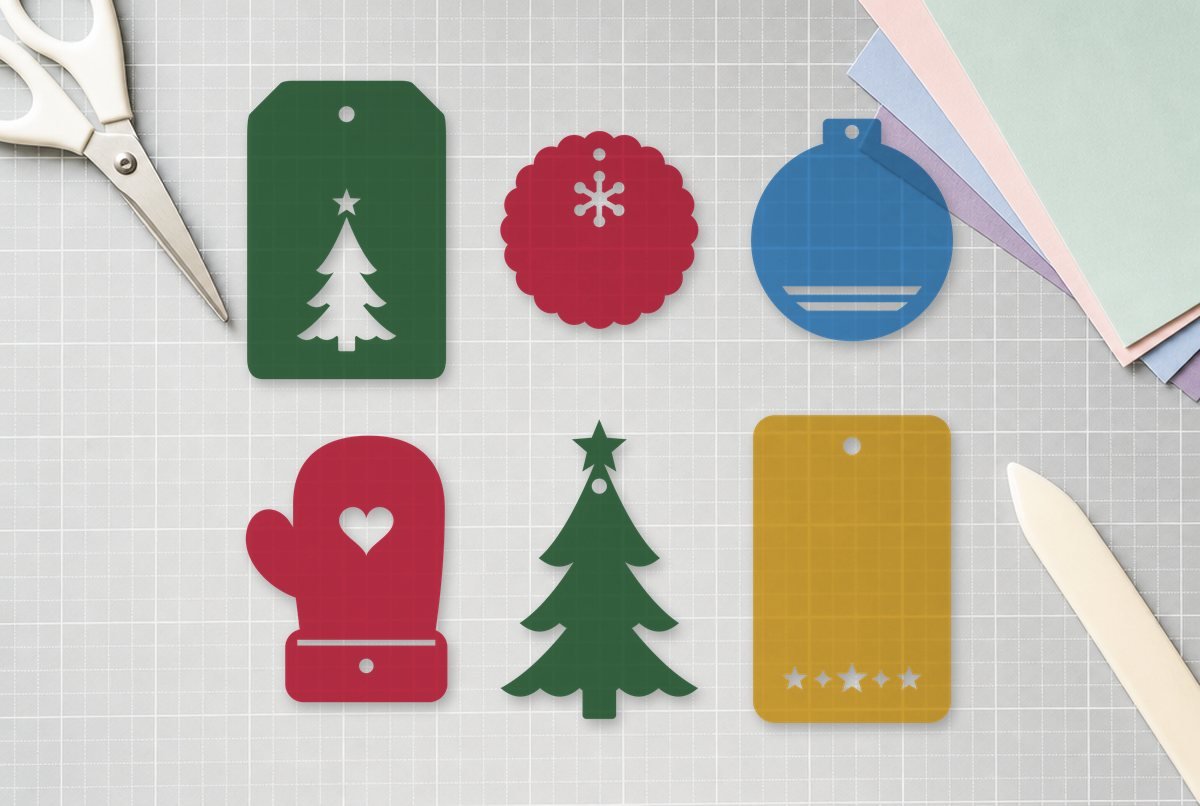
Store-bought gift tags run out on Christmas Eve, usually halfway down the pile. These six cardstock tags all fit on one 12 x 12 sheet, each with a 0.2 in ribbon hole and a holiday cutout, and plenty of plain space left for “To” and “From.”
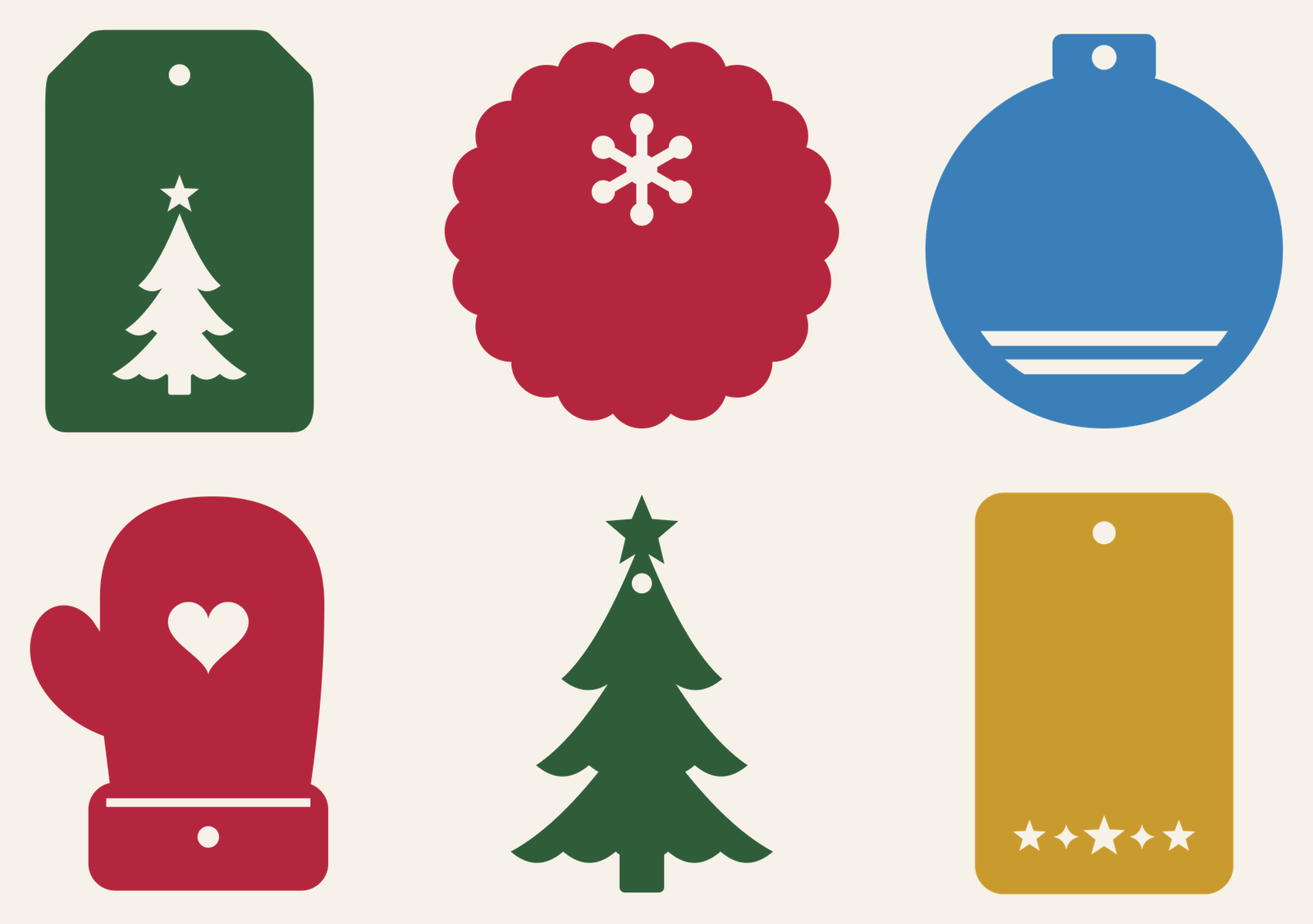
The set: a classic shipping tag with a tree window, a scalloped round with a snowflake, an ornament shape, a mitten with a heart, a tree-shaped tag and a rounded rectangle with a strip of stars. They range from about 2.25 to 3.25 in wide, and every one was checked for cardstock at that size.
| File | Size | Material | Layers | Check |
|---|---|---|---|---|
| Classic tag with tree cutout | 2.62 × 3.88 in | Cardstock | 1 layer | ✓ Cut-checked |
| Scalloped round tag with snowflake | 3.38 × 3.38 in | Cardstock | 1 layer | ✓ Cut-checked |
| Ornament-shaped tag | 3 × 3.38 in | Cardstock | 1 layer | ✓ Cut-checked |
| Mitten tag with heart | 2.88 × 3.88 in | Cardstock | 1 layer | ✓ Cut-checked |
| Tree-shaped tag | 2.75 × 4.12 in | Cardstock | 1 layer | ✓ Cut-checked |
| Rounded tag with star strip | 2.38 × 3.62 in | Cardstock | 1 layer | ✓ Cut-checked |
The six tags
Each tag is a single cut layer: the outline, the ribbon hole and the cutouts all in one file, so there’s nothing to line up or glue.
- Classic tag with tree. About 2.5 x 3.75 in, clipped top corners like a shipping tag, with a three-tier tree and a small star cut out near the bottom.
- Scalloped round. About 3.25 in across with 20 scallops and a snowflake window under the hole. The snowflake cuts as one piece, so it drops out cleanly.
- Ornament. About 3 x 3.25 in, a round bauble with the hole in its cap and two curved stripe cutouts across the bottom.
- Mitten with heart. About 2.75 x 3.75 in. The heart is cut out of the palm, a thin slot marks the top of the cuff, and the hole sits in the cuff.
- Tree tag. About 2.6 x 4 in, the whole tag shaped like a scalloped tree with a star on top and the hole just below it.
- Star strip tag. About 2.25 x 3.5 in, a rounded rectangle with a row of three stars and two sparkles cut out along the bottom.
For paper, the check that matters most is the bridges: the strips of card between a cutout and the edge, or between two cutouts. Too thin and the tag tears as you lift it off the mat. We checked each tag at full size against our cardstock minimums, which are wider than the ones we use for vinyl, and every one passed with no pieces too small to clear. Handle two spots gently: the narrow band between the ornament’s stripes and the strip above the mitten’s cuff slot.
What you need
- Cutting machine and a light or standard grip mat
- Cardstock, 65 lb or heavier, in letter-size or 12 x 12 sheets
- Scrap paper, vellum or glitter cardstock to back the windows (optional)
- Fine-tip pen, or a pen for your machine
- Ribbon, baker’s twine or thin elastic cord
- Glue stick (only if you back the windows)
Cutting a batch
- Upload the tags you want. Each tag is its own SVG. Our upload guide shows how, and you can upload several and add them to the canvas together.
- Check sizes. Each tag opens at its designed size. Leave it there or go larger.
- Duplicate for quantity. Need a dozen? Select a tag and duplicate it as many times as you need. Design Space arranges them on the mat for you when you click Make It.
- Pick your cardstock setting. Choose the cardstock that matches your paper weight in the material list. No mirroring for paper.
- Lift carefully. Turn the mat upside down and peel the mat away from the tags rather than pulling the tags up. The cutouts usually stay on the mat; pick out any stragglers with a hook.
To get tags in several colors from one project, change the color of some tags on the canvas. Design Space puts each color on its own mat, so you can cut red, green and gold tags in one session.
Writing the names with your machine
Handwriting works fine, but if you have a Cricut pen you can have the machine write each tag before it cuts.
- Add the text. Use the Text tool to type “To: Grandma” (or whatever you need) and place it in the blank space on the tag.
- Pick a writing style. Choose a font that offers a Writing style and select that style in the text toolbar. Writing styles draw as a single line; a regular font draws only its outline, which looks hollow.
- Set the operation to Draw. With the text selected, change its operation to Draw in the Operation menu.
- Attach it to the tag. Select the text and the tag, then click Attach. The machine will then write in that exact spot before cutting the tag out.
Cricut’s help pages cover choosing an operation and Attach. Keep the text off the cutouts, since anything written over a window gets cut away with it.
Sizes
| Use | Suggested size | Notes |
|---|---|---|
| Standard gift tag | As designed (about 2.25 to 3.25 in wide) | Room for a name and a short note |
| Wine bottle or jar tag | As designed | Loop cord through the hole and around the neck |
| Oversized tag for a big box or gift bag | 125 to 150 percent | Scale proportionally with the lock on |
| Ornament to hang on the tree | 150 percent or more | Glue two cut tags back to back for stiffness |
Don’t shrink them. The ribbon hole and the bridges around the cutouts were checked at these sizes, and smaller tags leave strips of card too narrow to hold together.
Dressing them up
Glue a scrap of contrasting paper behind a window and the cutout reads as a solid shape: gold behind the tree on a green tag, white behind the red mitten’s heart. Vellum gives the snowflake a frosted look. If you’re wrapping gifts in plain kraft paper, the tree-shaped tag in green cardstock stands out without anything else.
Matching wrapping pieces? The tuck box template gives you a box for small gifts, and the paper star garland uses the same kind of cardstock.
If a tag tears
A torn band on the ornament or a torn mitten cuff usually means the paper stuck harder to the mat than to itself. Try a lighter grip mat, or flex the mat away from the tag instead of lifting the tag. Very thin text-weight paper also tears easily at these sizes; use a cardstock weight.
Questions
How big is a Christmas gift tag?
Most of ours are between 2.25 and 3.25 in wide and 3.25 to 4 in tall, with a 0.2 in hole for ribbon. That’s big enough for a name and a short note.
Can my Cricut write on gift tags?
Yes. Type the text, pick a font with a Writing style, change the operation to Draw, then attach the text to the tag so it writes in place before the tag is cut out.
What paper is best for gift tags?
Cardstock, 65 lb or heavier. It holds up to ribbon and handling better than text-weight paper, and it’s what we checked these tags for.