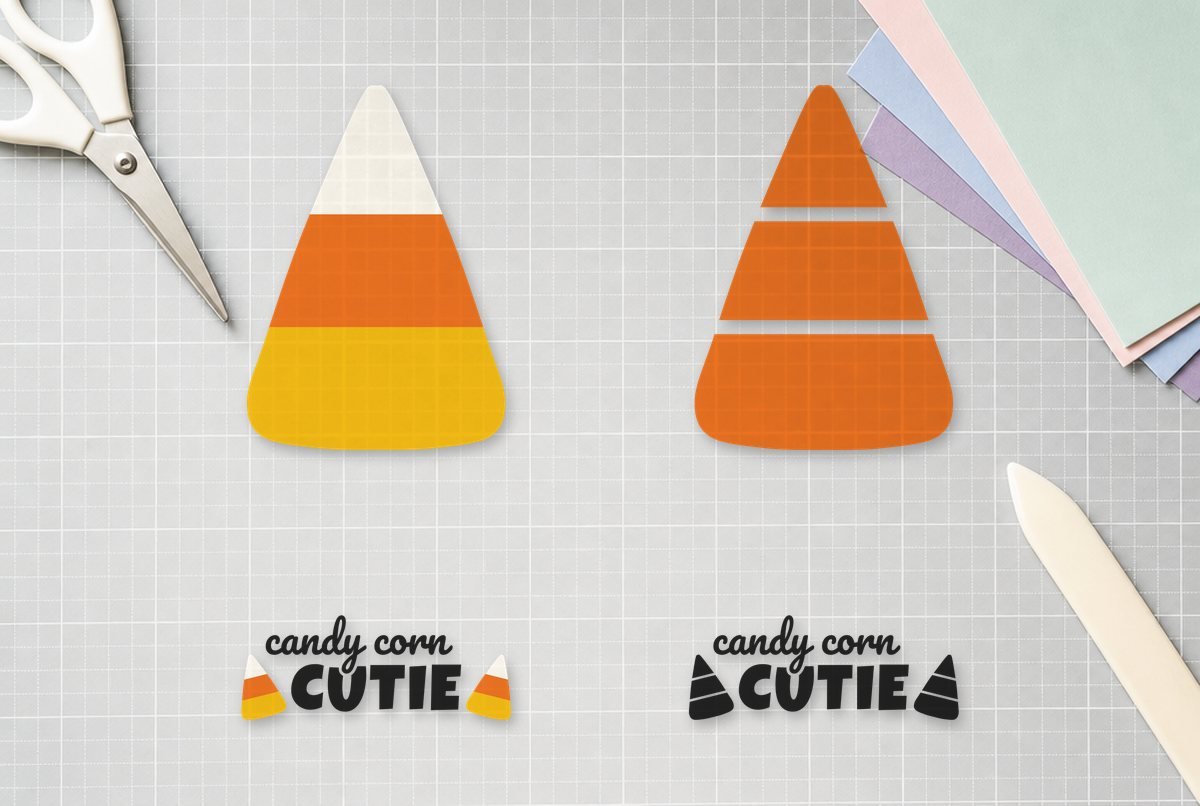
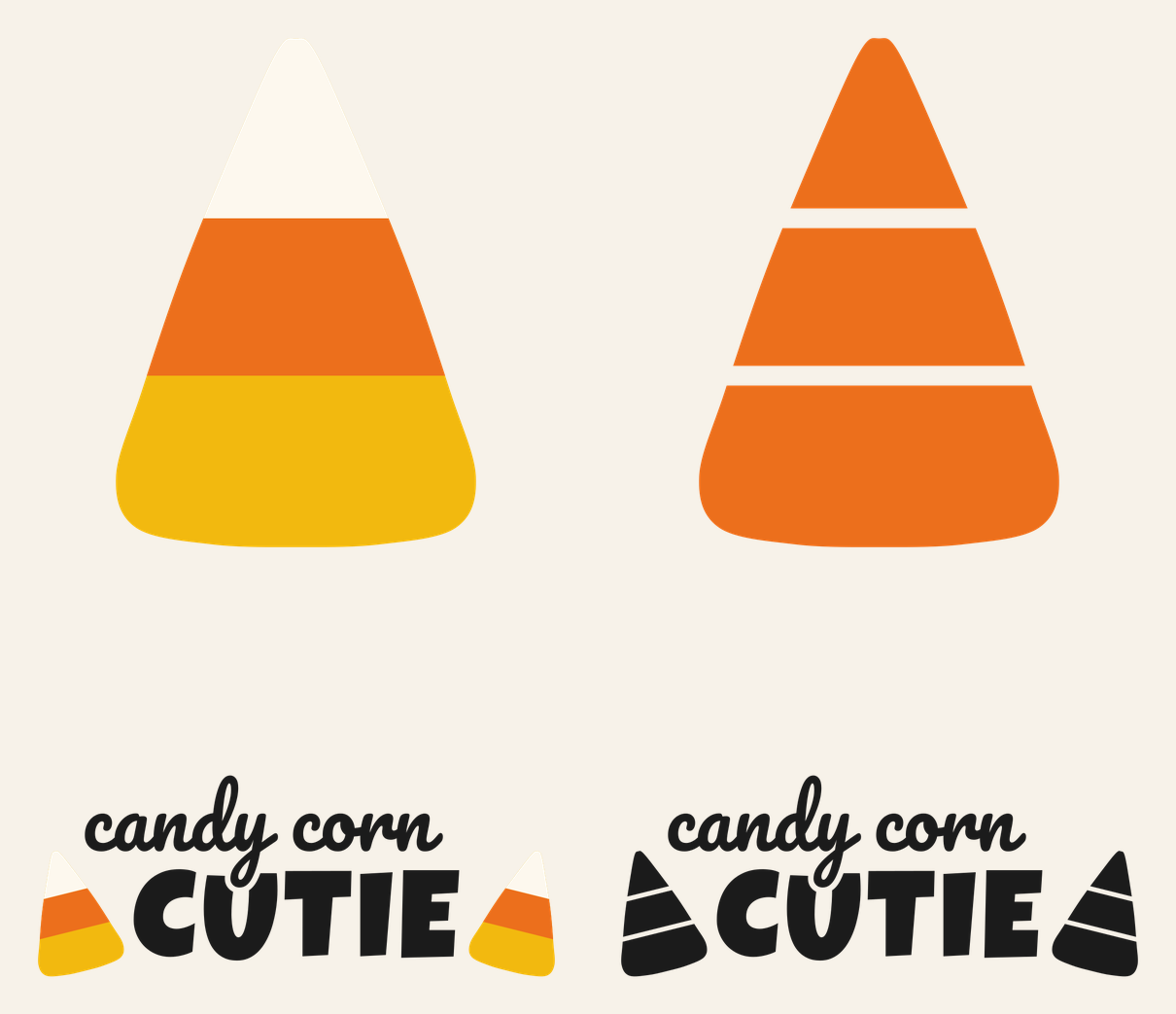
Candy corn is the rare Halloween symbol that needs color to work. In plain black it’s just a rounded triangle. So this candy corn SVG leads with a proper three-color layered version, yellow, orange and white, and adds a one-color cut and a “candy corn CUTIE” shirt design for kids.
The layered kernel and the single-color kernel are both 3.0 x 4.12 in, checked for adhesive vinyl. The shirt design is 8.12 x 3.25 in for a youth shirt, checked for iron-on, and it comes in two versions: four colors with layered kernels, or one color throughout.
| File | Size | Material | Layers | Check |
|---|---|---|---|---|
| Candy corn, 3-layer | 3 × 4.12 in | Vinyl | 3 layers | ✓ Cut-checked |
| Candy corn, single color | 3 × 4.12 in | Vinyl | 1 layer | ✓ Cut-checked |
| Candy Corn Cutie, youth shirt (4 color) | 8.12 × 3.25 in | HTV (iron-on) | 4 layers | ✓ Cut-checked |
| Candy Corn Cutie, youth shirt (1 color) | 8.12 × 3.25 in | HTV (iron-on) | 1 layer | ✓ Cut-checked |
How the layers stack
The layered kernel is three separate pieces, each on its own layer and colored the way it’ll be cut. The yellow base is the whole kernel shape, not just the wide bottom stripe. The orange middle band and the white tip sit on top of it. Stacking onto a full base means that if a layer lands a hair off, you see a sliver of yellow at the edge rather than a gap showing the mug or sign underneath.
The band and tip were cut from the same outline as the base, so their outer edges match it exactly. Line them up edge to edge. Each piece is one simple closed shape with nothing to weed inside it.
The single-color kernel is the same outline split into three pieces by two narrow gaps where the color changes would be. From a few feet away it still reads as candy corn, because the stripes show as gaps of whatever surface is under it.
On the shirt, “candy corn” is set in Pacifico, a rounded script, perched on “CUTIE” in Luckiest Guy. The tail of the “y” drops down into the U, with a gap cut around it so the two words stay separate. A tilted kernel sits on each side. In the four-color file those kernels are layered the same way as the big one, and in the one-color file they’re split by gaps.
Every layer of every file passed our check at its listed size, including the small white kernel tips on the shirt. Those are the thinnest pieces in the set, so they’re the reason we wouldn’t shrink the shirt file.
What you need
- Permanent or removable adhesive vinyl in yellow, orange and white
- Iron-on (HTV) in black plus yellow, orange and white for the four-color shirt
- Standard grip mat
- Weeding hook
- Transfer tape
- Heat press or iron, and a pressing cloth, for the shirt
Making the layered kernel in vinyl
- Upload it. In Design Space, click Upload, then Upload Image and Browse, and pick the 3-layer SVG. Layered SVGs arrive as a grouped image; the layers keep their colors. Our upload guide covers it step by step.
- Size it as a group. Resize with the group still selected so all three layers scale together. It should read 3.0 in wide. Going bigger is fine; going smaller isn’t checked.
- Cut. Click Make. Design Space puts each color on its own mat. Load the matching vinyl for each one and pick your vinyl setting. No mirroring for adhesive vinyl.
- Apply the base. Use transfer tape to put the yellow kernel down first.
- Add the band and tip. Pick up the orange band with transfer tape, line its side edges up with the edges of the yellow kernel and press it down. Do the white tip the same way, butting it against the top of the orange band.
Our guide to layering adhesive vinyl for a multi-color decal has more on lining up layers.
Cut two or three kernels at once and you have spares for practice. Layering the first one is where most of the lining-up learning happens, and each kernel only takes a small scrap of each color.
Making the Candy Corn Cutie shirt
The one-color file is the easy route: one sheet of iron-on, one press. Mirror it (Design Space switches Mirror on when you choose an iron-on material), cut shiny side down, weed and press using Cricut’s Heat Guide or your iron-on maker’s directions.
The four-color file cuts on four mats, one per color, all mirrored. Press the black lettering and the yellow kernel bases first, then the orange bands, then the white tips on top. Cricut’s layering instructions have you tack each lower layer with a short press, peel its carrier sheet once it cools, cover any exposed iron-on before the next press, and save the full press for the top layer. Get the temperature from the Heat Guide. How to layer HTV goes through it in more detail.
| Project | File | Size |
|---|---|---|
| Mug, tumbler, treat jar | 3-layer or single kernel | 3.0 x 4.12 in |
| Wood sign, pumpkin, door hanger | 3-layer kernel, scaled up | 3.0 in wide or larger |
| Youth shirt | Cutie, 1 or 4 color | 8.12 x 3.25 in |
| Adult shirt or tote | Cutie, scaled up | 10 in wide or so |
The kernel at 4.12 in tall is a little taller than the flat area of many standard mugs, so measure yours first. Tumblers and taller mugs have room for it. Don’t shrink the Cutie file below 8.12 in for a toddler shirt; the white kernel tips are the first pieces to get too small to weed.
More ways to use it
A row of layered kernels across the front of a clear treat jar looks like the candy inside. Scale the 3-layer kernel up for a painted wood sign or a porch pumpkin, where you have more room and the colors carry from the street.
If a thin white tip shifts while you press the shirt, the usual cause is the liner not sitting flat against the orange layer. Tack the lower layers with short presses, let them cool, peel their carriers, and make sure the white piece is lying flat before the final press. And if your white vinyl looks see-through over the orange, that’s the vinyl, not the file; an opaque white hides the color underneath better.
Questions
How do you layer a candy corn SVG?
Put the full yellow kernel down first, then the orange band, then the white tip. The band and tip share the base’s outline, so line up their side edges with the edge of the yellow piece.
Can I cut candy corn in one color?
Yes. The single-color file splits the kernel into three pieces with narrow gaps where the stripes change, so it still reads as candy corn.
What size is the Candy Corn Cutie shirt design?
It’s 8.12 x 3.25 in, sized for a youth shirt and checked for iron-on at that size. You can scale it up for adults but shouldn’t shrink it.